Hooknetik Blog
7 Template Video Script Formulas for Short-Form Video
Seven adaptable template video script formulas for product demos, testimonials, tutorials, and creator promos — with stage timing, trade-offs, and FAQs.
By Serdar Senay17 min read
- template video script
- short-form video scripts
- video script templates
- UGC testimonial script
- product video script
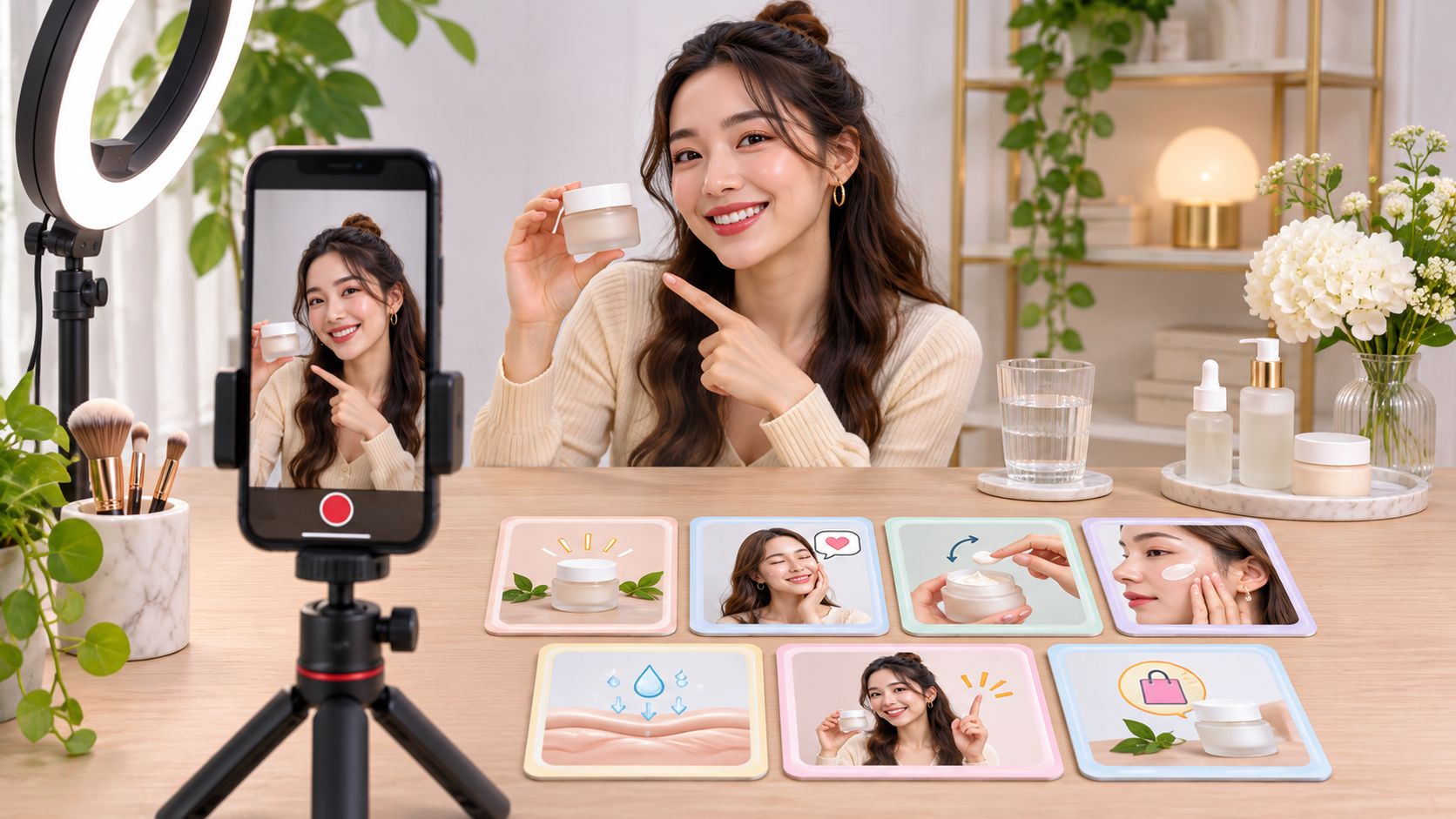
In short
Seven adaptable template video script formulas for product demos, testimonials, tutorials, and creator promos — with stage timing, trade-offs, and FAQs.
Most brands don't fail at short-form video because their writers can't draft a clever line. They fail because they invent a brand-new structure every time they press record, so they never learn which sequence sells.
According to Wyzowl's 2026 State of Video Marketing survey, 91% of businesses used video as a marketing tool, 63% of video marketers used artificial intelligence to create or edit video, and 82% said video delivered a good return on investment. Volume isn't the hard part anymore. Repeatable structure is.
A template video script works best when you treat it as a production scaffold rather than copywriting theory. The seven formulas below are interchangeable builds sorted by the job they do: product demonstration, testimonial-style proof, tutorial walkthrough, and creator-personality promotion. Each entry gives you the stage breakdown, the second-by-second timing for a vertical 9:16 clip, the exact shot that has to sit on screen, and the failure mode that makes that formula backfire, followed by a practical FAQ at the end.
Before you write a single word, lock in one operating rule. Pick one framework from this list, shoot or generate it three or four times on the same product category, and only then add a second structure. Rotating formulas faster than that produces noise, not usable data.
Table of Contents
- 1. AIDA Script Template (Attention, Interest, Desire, Action)
- 2. PAS Script Template (Problem, Agitate, Solution)
- 3. BAB Script Template (Before, After, Bridge)
- 4. 4 Ps Script Template (Picture, Promise, Prove, Push)
- 5. Hook, Story, Offer Script Template
- 6. UGC Testimonial Script Template
- 7. Problem, Solution, Demo Script Template
- How the seven script frameworks compare on structure, fit and risk
- Pick One Framework and Give It Four Repetitions
1. AIDA Script Template (Attention, Interest, Desire, Action)
Say a skincare shop is launching a niacinamide serum on TikTok. The worst opening is a spinning bottle over a logo card. The working AIDA opening is a tight macro shot of blotchy redness on a cheek at second 0, paired with a blunt spoken line: "If your serum pills under sunscreen, look at the base."
Advertising pioneer Elias St. Elmo Lewis popularized AIDA (Attention, Interest, Desire, Action) for print and display ads, where a bold headline paired with one product image and one offer drove direct mail orders. It translates cleanly to vertical clips because buyers want fast answers. As Wyzowl's short-form video marketing summary reports, 73% of consumers preferred short-form video when searching for products or services, and 71% said videos lasting between 30 seconds and two minutes were the most effective length.
Beat-by-Beat Vertical Production Scaffold
- Attention (0 to 3 seconds): Frame the visible concern or standout detail full-screen, with zero logo bumpers. Pair the shot with a three-word on-screen headline positioned in the upper-middle safe zone so platform icons don't clip it.
- Interest (3 to 8 seconds): Cut to the presenter holding the bottle at chest height and stating why standard fixes fail. Keep this to one crisp sentence.
- Desire (8 to 20 seconds): Show the product working in real time. For that serum clip, cut to a close-up of two drops absorbing cleanly with no white cast, followed by sunscreen gliding over the same patch.
- Action (20 to 25 seconds): Hold on the finished result with the bottle angled toward the lens and give one clear instruction, such as tapping the shop tag below.
AIDA breaks down when writers turn the Desire beat into a verbal ingredient list instead of physical proof. If viewers only hear adjectives while staring at a static talking head, retention collapses by second 10. It also backfires when you stack two calls to action at the end ("follow for part two and grab yours in the link"). For more ways to structure direct product pitches across social formats, review this breakdown of advertising a product example.
2. PAS Script Template (Problem, Agitate, Solution)
Cold viewers rarely stop scrolling for a product benefit they didn't know they wanted. They stop for an irritation they felt ten minutes ago. That's why PAS (Problem, Agitate, Solution) outperforms softer brand storytelling on paid feeds and discovery tabs.
Short-form clips now dominate modern calendars. In HubSpot's survey of more than 500 video marketers, 83% reported using short-form video, and 55% said generative AI was especially helpful for producing it. That same report highlights that less-polished, conversational clips regularly beat over-produced studio spots, which is exactly where PAS thrives.
The visual chart below lays out how PAS compares against AIDA when you're choosing between pain-first and curiosity-first pacing.
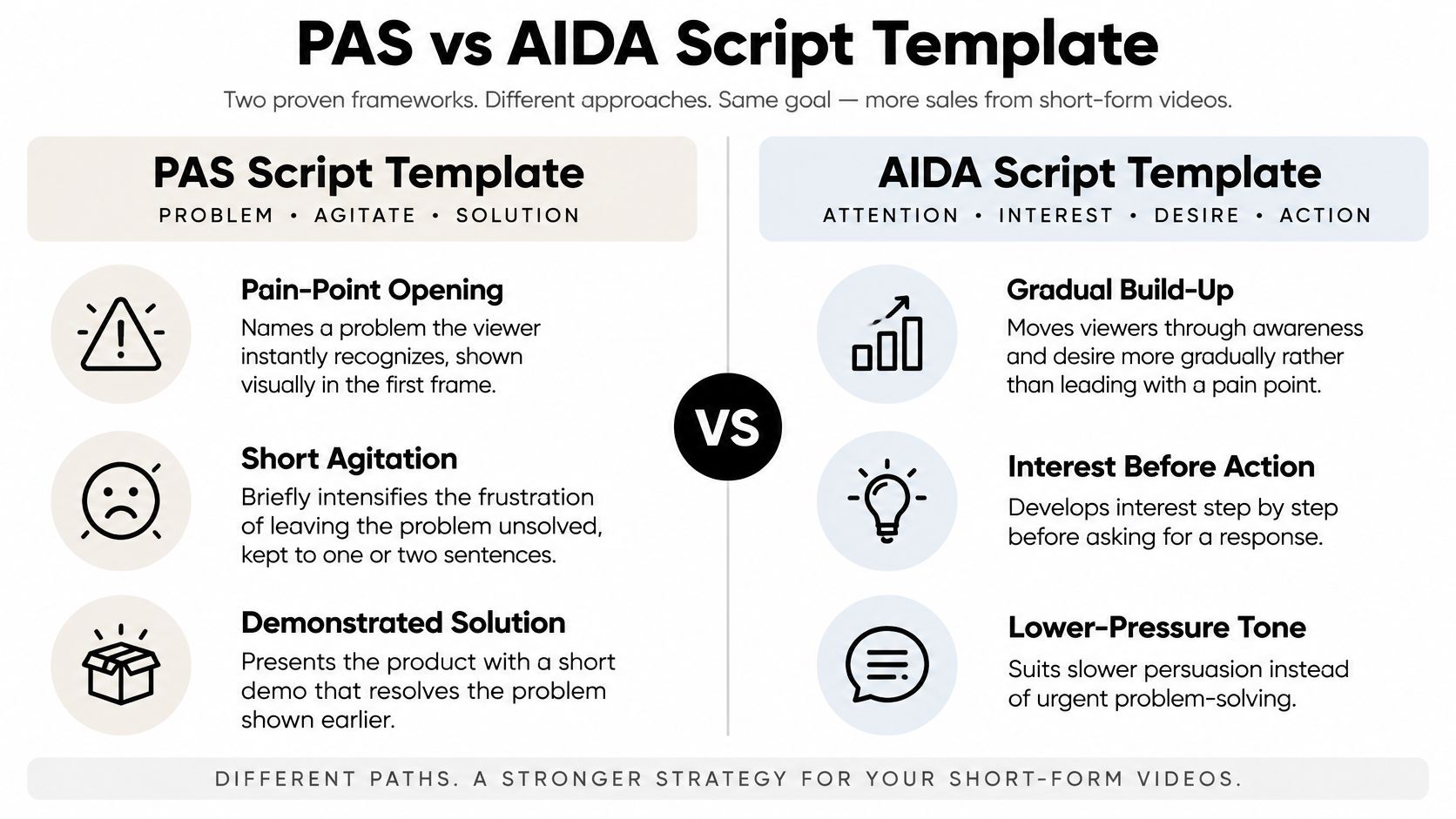
Timing and Camera Beats for PAS
Run PAS inside a 21-to-25-second clip so the tension snaps quickly into relief. Open the Problem beat (0 to 3 seconds) with the exact frustration on camera. A haircare seller shoots dry, frizzy ends backlit near a window while saying, "Humidity ruins a blowout in twelve minutes." A fitness brand shoots a lifter failing a grip hold mid-deadlift.
Move straight into Agitate (3 to 7 seconds) with one or two tight sentences describing the cost of leaving it unfixed: "Heavy oils just flatten your roots by noon." Cut immediately to Solution (7 to 22 seconds), bringing the smoothing mist or lifting straps into frame and showing one clean pass that fixes what second 1 broke.
Keep the Agitate stage to one or two sentences. Drag the complaint past second 8 and viewers won't feel understood, they'll feel nagged and swipe away.
PAS backfires in two predictable ways. First, if you agitate a problem your product can't visibly resolve, buyers lose trust the moment the Solution cut lands. Second, stretching into unverified claims ("fixes hair breakage forever" or "adds 40 pounds to your lift") triggers platform rejections and skeptical comments. Stick to one observable outcome, and if you want to test multiple pain hooks quickly without booking new shoots, pair this scaffold with an AI UGC video generator.
3. BAB Script Template (Before, After, Bridge)
Assume your viewer is watching on the train with their phone muted. According to Shno's video marketing statistics benchmark, more than 75% of video views happen on mobile devices, approximately 85% of mobile videos are watched without sound, and 83% of video marketers consider sub-one-minute content the best length for short-form video.
When audio disappears, contrast does the heavy lifting. BAB (Before, After, Bridge) is the cleanest template video script for transformation products because the visual split tells the entire story even with the volume at zero. Beauty sellers use it for concealer coverage or lash lifts, and fashion shops use it to flip a boxy lounge outfit into a polished dinner look.
Matching camera distance and lighting across the Before and After frames is what makes the visual contrast believable, as shown in this texture comparison.
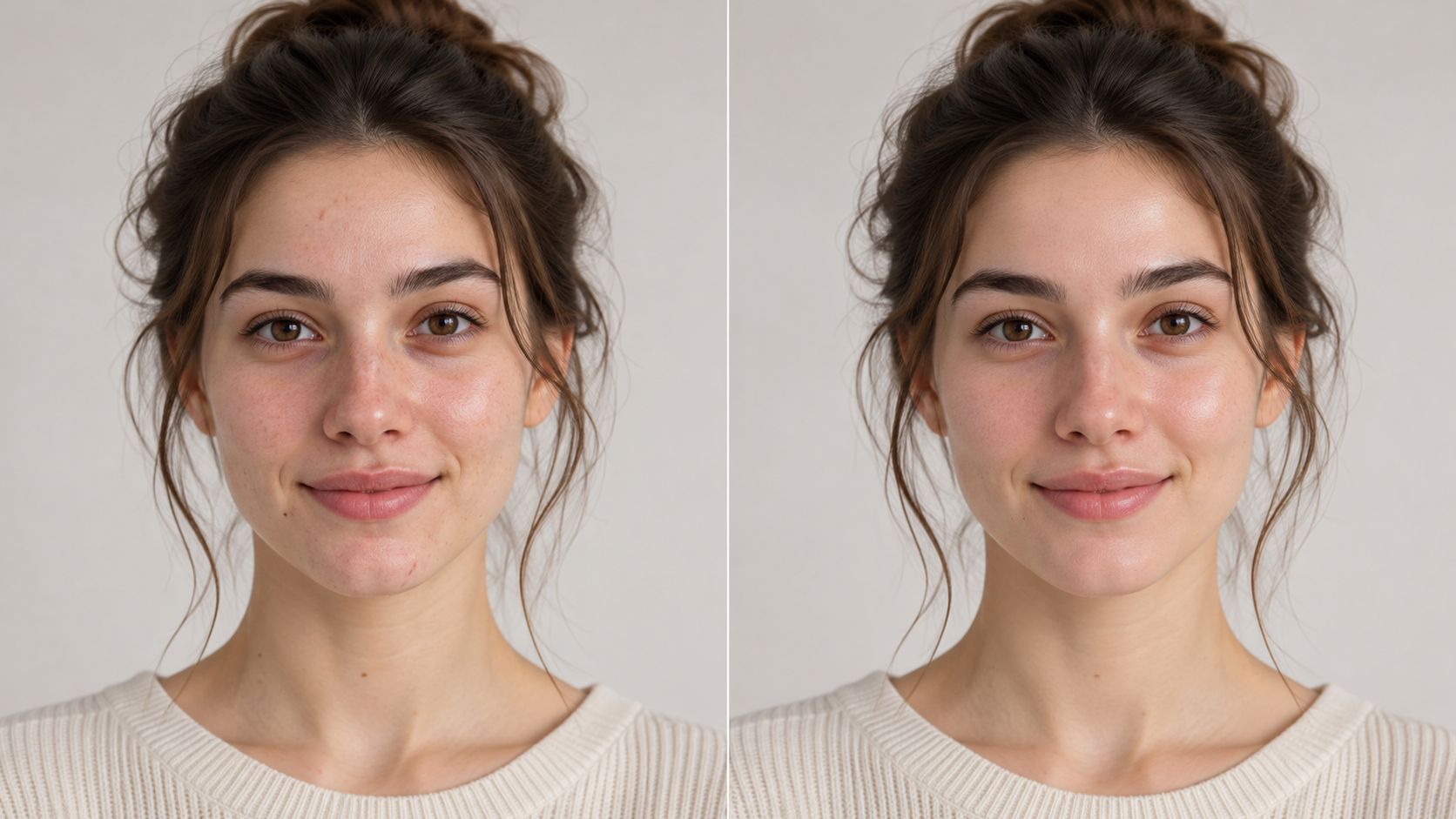
Shot Matching and Second Counts
- Before (0 to 4 seconds): Lock the camera on a tripod or keep the exact portrait framing steady. Show the unstyled hair, bare skin, or wrinkled shirt with a crisp two-word label like "No primer."
- After (4 to 9 seconds): Jump-cut to the finished state under the exact same light temperature and lens angle. Let the frame breathe for a full two seconds before cutting so the viewer can inspect the change.
- Bridge (9 to 18 seconds): Hold the product next to the result and deliver one single-sentence Bridge explaining its role: "One pea-sized layer of this matte grip gel blurs pores for eight hours." Close with a simple shop prompt in the final three seconds.
The fatal failure mode for BAB is lighting dishonesty. Shift from harsh bathroom overhead lights in the Before frame to a soft ring light in the After frame, and viewers will call it out in the comments within an hour. The same goes for heavy smoothing filters or claims the camera can't verify. If your product produces a subtle internal benefit (like a magnesium capsule) rather than an on-camera visual shift, skip BAB completely.
4. 4 Ps Script Template (Picture, Promise, Prove, Push)
Not every product starts with misery. Luxury accessories, seasonal fashion drops, and daily wellness rituals sell on aspiration rather than annoyance. In 2024, 37% of consumers preferred discovering products through short-form videos, according to HubSpot's Consumer Trends research, and many of those viewers are browsing for inspiration, not troubleshooting a crisis.
The 4 Ps (Picture, Promise, Prove, Push) scaffold opens with an enviable moment and immediately backs it up with hard evidence. Say a jewelry shop is promoting a tarnish-resistant gold chain, or a skincare line is showcasing a whipped body butter. Here's how a clean creator framing sets up the tactile Proof moment before a word is spoken.
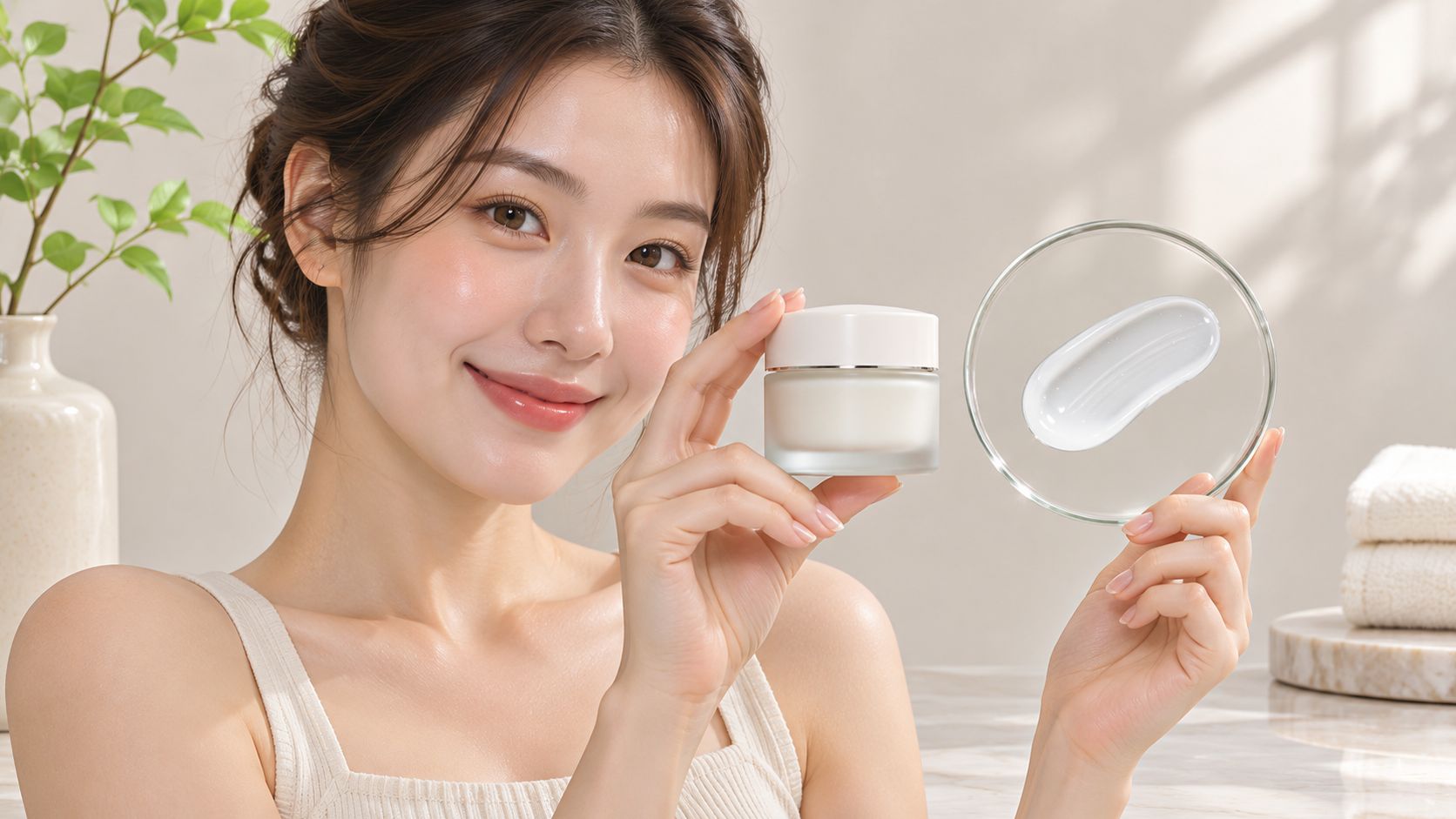
Where the Prove Beat Makes or Breaks the Clip
Spend seconds 0 to 3 on Picture, establishing the presenter and setting immediately: sunlight catching the layered gold chain over a linen collar, or a creator scooping rich cream from a glass jar in a tiled bathroom. Use seconds 3 to 7 for Promise, stating one clear outcome ("Zero green marks even after the gym and shower").
Seconds 7 to 17 belong entirely to Prove. Don't talk over B-roll of someone smiling. Show the chain getting rinsed under running water and wiped dry with a white towel, or press the cream onto the back of a hand in tight macro so the viewer sees the texture melt without grease. Close seconds 17 to 22 with Push, naming one exact action ("Tap the link to pick your 16-inch or 18-inch length").
Production check: Pick one proof point per clip, either a tight physical demo or a verified buyer reaction. Crowding three half-baked proofs into ten seconds leaves none of them believable.
The 4 Ps formula backfires when the Prove stage gets cut short to make room for brand backstory, turning the clip into an empty lifestyle reel. It also stalls when the Push is vague ("check out our store") instead of pointing to a concrete selection. Brands building recurring personality-led series around this aspirational structure often pair it with a consistent AI influencer so the Picture stage stays instantly recognizable across weekly drops.
5. Hook, Story, Offer Script Template
"I threw out three pairs of travel sneakers after one 14-hour flight taught me what ruins your arches." Open a clip with a specific personal line like that, and viewers lean in to hear what happened next.
Hook, Story, Offer is built for personality-led accounts, recurring founders, and persistent digital characters who want people to recognize their voice before the product name even appears. Fashion accounts use it to narrate an outfit dilemma before tagging the jacket. Fitness creators use it to share a quick training setback before showing the knee sleeves or protein tub that fixed their routine.
Because the presenter carries the frame alongside the item, vertical framing discipline matters from frame one. Instagram's official Reels specifications support a 9:16 vertical aspect ratio (within a 1.91:1 to 9:16 range), with a minimum resolution of 720 pixels and a minimum frame rate of 30 frames per second. Frame the presenter from chest up with headroom so the product sits cleanly inside the center column, never buried behind the caption tray or right-hand engagement buttons.
Pacing a Story Inside 25 Seconds
- Hook (0 to 3 seconds): Deliver a surprising observation or contrarian confession directly into the lens. Start mid-motion (zipping a gym bag, buttoning a blazer) so the first frame isn't a static stare.
- Story (3 to 18 seconds): Tell one tight anecdote with a clear turn, keeping the featured item physically visible the entire time. Wear the blazer while recounting the meeting, or adjust the lifting straps while describing the missed rep.
- Offer (18 to 25 seconds): Tie the narrative straight into a simple, accurate offer ("It's back in stock in charcoal today, linked right here"). No fake countdowns or inflated discounts.
This template fails when creators treat the Story and Offer as two separate videos glued together. If the product doesn't appear on screen until second 19, viewers feel tricked by a sudden ad pivot and swipe off immediately. Plan story arcs across your monthly calendar so Tuesday's clip naturally sets up Friday's follow-up, keeping the character's wardrobe, setting, and product visibility continuous.
6. UGC Testimonial Script Template
Most brands ruin UGC testimonial clips during the scriptwriting phase. They write stiff brochure sentences ("This formula improves my daily wellness journey") and hand them to a creator, then wonder why viewers scroll right past what looks like a hostage video.
Real user-generated testimonials work because they sound like a voice note sent to a friend. Online shops and beauty brands lean on this format heavily on TikTok and Reels when a product needs peer reassurance rather than a flashy stunt. Notice how an authentic bedroom or vanity setup puts the focus squarely on casual delivery and the bottle in hand.
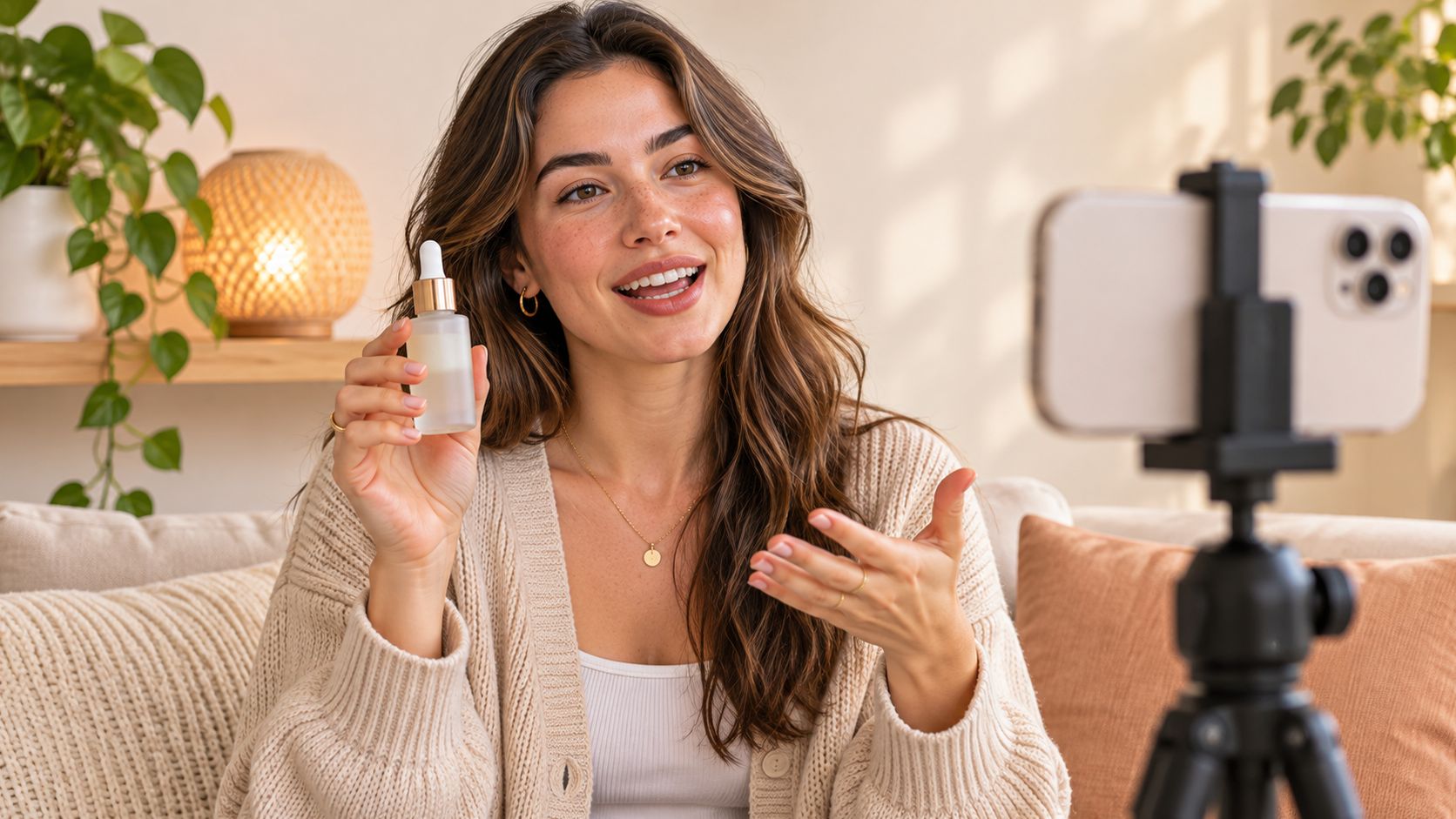
Five Beats That Sound Unscripted
Build a 25-second UGC testimonial around five conversational beats, and leave room for the presenter to bend the phrasing into their own speech patterns. Open with a personal hook (0 to 3 seconds) like, "Okay, I'm picky about lip oils because I hate sticky hair." Follow with the problem or need (3 to 7 seconds), then cut straight into product use (7 to 16 seconds) showing actual application.
Anchor the result beat (16 to 22 seconds) with one concrete detail viewers can picture: "It takes ten seconds to swipe on and doesn't transfer onto my coffee lid." Close with a casual recommendation (22 to 26 seconds) pointing to where you grabbed it.
Handling Sponsorship and AI Disclosure
Generic script libraries leave out the biggest compliance and trust trap in modern short-form video: disclosing sponsorships and synthetic presenters without killing the hook. A 2025 Canadian consumer survey by Caddle and Ad Standards found that 78% of respondents believed AI influencers should clearly disclose their identity, while 57% said AI would make them less likely to purchase.
Hiding synthetic origin might buy you a fraction of a second on frame one, yet it creates a massive credibility backlash when viewers notice. Treat disclosure as a clear production slot inside your script template:
- Real customer testimonial: Disclose paid partnerships or gifted items visibly in the opening overlay and caption per platform rules.
- AI-presented brand demonstration: Add an upfront badge ("AI creator demo") or clear in-caption disclosure, and write lines that showcase product features ("Look at how this brush separates lashes") instead of claiming personal human testing ("I wore this to my wedding").
If you're designing custom digital presenters for recurring product spots, read up on avatars to make so your character's framing and transparency guidelines are set before you shoot.
7. Problem, Solution, Demo Script Template
Give the product 15 seconds and cut the backstory. That is the operating box for Problem, Solution, Demo. A visible mechanical function, a clasp, a four-way stretch, or a grooming edge only needs enough time to prove it moves, holds, or fits on camera. Long narration hides the part the viewer came to see.
Use this scaffold when physical utility closes the sale. A jewelry seller can show an adjustable necklace slider shifting from choker to pendant length in three seconds. A fitness apparel brand can show squat-proof opacity and waistband grip during one lunge. The shot does the argument. The line only labels it.
Keeping the Demo Under 10 Seconds
- Problem (0 to 3 seconds): Show the broken standard in one quick cut. Tangle a traditional lobster clasp behind a neck, or tug at a rolling waistband mid-stretch.
- Solution (3 to 5 seconds): Cut to the product entering frame with a four-word line naming what it is.
- Multi-Angle Demo (5 to 14 seconds): Use two distinct angles. One wider body shot shows fit and motion. One tight close-up isolates the latch, seam, or tool tip. Keep the demo under 10 seconds inside a 15-second cut.
- Final Beat (14 to 15 seconds): Hold on the working feature with a bold product name caption, so viewers know what to search or tap.
Write the script sheet in three synchronized layers: the spoken line, the burned-in caption, and the physical action. The caption should name the product and feature in the same words the viewer hears. Keep text away from the bottom 20% and right edge so interface icons never cover the mechanism.
Captions also carry the demo when sound is off. Short-form viewers often scan with muted audio first, so the close-up and the caption must make sense without the voiceover. The spoken line can stay conversational. The on-screen text needs to stay literal: "slider strap," "no roll waistband," "lash comb tip."
Problem, Solution, Demo fails when a creator holds one static wide shot and talks over it for twelve seconds. Without a tight angle proving how the feature works, viewers read the claim as a gimmick. Another failure is a fast demo with no label. The viewer sees motion but cannot identify what changed.
The format suits products with visible features and weak intangible benefits. It works for jewelry, apparel, beauty tools, and compact gadgets. It is a weak fit for services, abstract outcomes, or claims that need a longer proof trail. In those cases, the demo becomes decoration.
Teams running product-led stores without putting a founder on camera often pair this scaffold with faceless digital marketing workflows to ship consistent product clips every week. Keep the same production rule: problem in one cut, solution in one line, proof in two angles, product name on the final frame.
How the seven script frameworks compare on structure, fit and risk
| Template | Stages | Best For | Main Trade-Off |
|---|---|---|---|
| AIDA Script Template (Attention, Interest, Desire, Action) | Attention → Interest → Desire → Action | Product-led videos with a clear call to action | Can feel formulaic; needs a credible benefit |
| PAS Script Template (Problem, Agitate, Solution) | Problem → Agitate → Solution | Products that solve a recognizable problem | Agitation can feel negative or pressuring |
| BAB Script Template (Before, After, Bridge) | Before → After → Bridge | Products with a visible, credible transformation | Requires convincing before-and-after visuals |
| 4 Ps Script Template (Picture, Promise, Prove, Push) | Picture → Promise → Prove → Push | Product videos with demonstrable evidence | Four stages can feel crowded in very short clips |
| Hook, Story, Offer Script Template | Hook → Story → Offer | Personality-led content and recurring character series | The story can overshadow the product |
| UGC Testimonial Script Template | Personal context → Product use → Result → Recommendation | Relatable, conversational product reviews | Credibility depends on honest claims and natural delivery |
| Problem, Solution, Demo Script Template | Problem → Solution → Demo | Products with visible features or functions | Less suited to intangible benefits; demos need tight editing |
Pick One Framework and Give It Four Repetitions
Stop hunting for a magic eighth formula and take two concrete steps this week. First, match your product's strongest proof type to one scaffold: a visible mechanical function calls for Problem, Solution, Demo; a clear on-camera transformation calls for BAB; an invisible or lifestyle outcome calls for PAS or Hook, Story, Offer.
Second, lock that single template video script into a recurring weekly slot and run it three or four times before you touch the structure. Keep the timing blocks identical while swapping only the opening visual hook or the featured SKU.
Testing rule: Changing frameworks after one flat post hides whether the hook, the camera angle, or the script structure caused the drop. Four repetitions on one scaffold give you an honest read.
If filming, lighting, and weekly scheduling are what stall your calendar, Hooknetik offers a library of trending short clips and transfers that motion onto your own persistent AI influencer in 9:16 vertical format. You can test the workflow with a one-time $5.99 trial video covering one influencer, one video, and one product before committing to any monthly plan.
How Many Seconds Should Each Script Stage Take
In a 15-to-25-second vertical clip, give the opening hook 2 to 3 seconds, the problem or context beat 4 to 5 seconds, the demonstration or proof beat 8 to 12 seconds, and the closing action 3 to 5 seconds. If you're cutting a tighter 15-second demo, trim the problem to 3 seconds and keep the proof under 10 seconds so the clip finishes cleanly without rushing the final callout.
Are Captions Required for Short-Form Product Videos
From both a conversion and accessibility standpoint, yes. Under WCAG 2.2 Success Criterion 1.2.2, synchronized captions are required for all prerecorded audio in synchronized media unless the clip is clearly labeled as a text alternative. As the W3C accessibility guidance on prerecorded media explains, true captions cover more than verbatim dialogue: they also note meaningful non-speech audio such as speaker identification, sound effects, laughter, and music cues when those details carry meaning.
How Should You Disclose Paid or AI-Presented Content
Place disclosure where viewers see it without expanding the description, either as a clean top-corner text overlay in the opening seconds, a clear tag at the start of the caption, or a dedicated end card. Separate real customer reviews from brand-created demonstrations in your script wording so an AI presenter demonstrates visible features rather than claiming personal human use.
How Do You Swap a Product Without Rewriting the Script
Freeze the second-by-second timing architecture and treat four elements as swappable slots: the opening visual problem or setting, the product name, the close-up proof beat, and the caption callout. When the pacing stays fixed across your content calendar, swapping a serum for a cleanser or a jacket for a knit sweater takes five minutes instead of a blank-page rewrite.
Ready to turn trending vertical hooks into consistent product clips without setting up a tripod every week? Hooknetik pairs a daily-updated library of real short-form motion templates with your own persistent AI influencer, complete with product insertion and downloadable captions ready for TikTok and Instagram Reels. Visit Hooknetik to generate your first 9:16 trial video and lock in a repeatable publishing cadence.
Create your influencer, then fill the calendar.
Free to create the face. Pay when you generate videos. Start from the product demo if you want screens first.
Create your influencer free. Try one video for $5.99, or Creator at $99/mo for a video a day. Plans stack on Billing.