Hooknetik Blog
How to Clone Myself as an AI Video Avatar in 2026
Learn how to clone myself as a consent-based AI video avatar: what biology cannot do, the build steps, consent rules and common fixes.
By Serdar Senay13 min read
- how to clone myself
- AI avatar
- digital double
- AI video consent
- AI influencer video
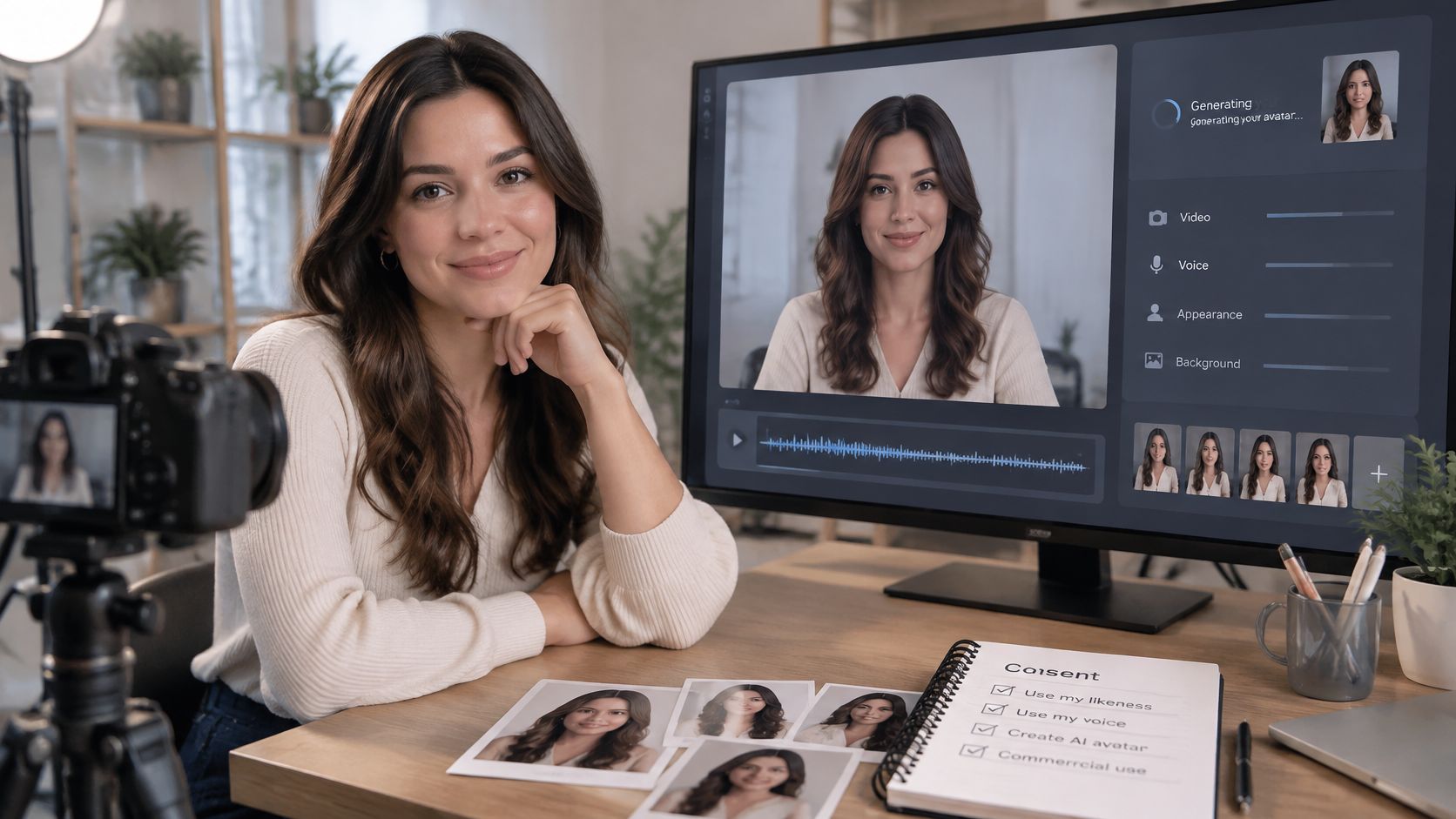
In short
Learn how to clone myself as a consent-based AI video avatar: what biology cannot do, the build steps, consent rules and common fixes.
Most advice on how to clone myself is aimed at the wrong step. It shows you which tool generates a talking video and stops there, as if the hard part were pressing a button. Pressing the button takes an afternoon. What takes months is keeping one recognizable character across a calendar of videos, with a documented right to use every face and voice in it, and a label a viewer can see without being told where to look.
Biological cloning isn't an option, and won't be. A digital double is, and it's what people really build when they ask how to clone myself in 2026. Three things break that build: unclear rights to your own likeness, disclosure nobody notices, and a face that drifts by video six. Everything else is tooling. Set those three up before you spend anything.
Table of Contents
- What Cloning Yourself Can and Cannot Mean Today
- Decide Whether a Digital Double Fits Your Content
- Consent and Disclosure Rules Before You Publish
- How to Build Your Digital Double Step by Step
- Source Photos and Clips That Keep Your Face Consistent
- Fixing Drift, Artifacts and Lip-Sync Problems
- Answers to Common Questions About Cloning Yourself
What Cloning Yourself Can and Cannot Mean Today
A biological copy of yourself is not achievable today. No human procedure has been shown to produce a healthy clone, and nothing on offer in 2026 changes that. The practical version of how to clone myself is a digital double, and the useful question is which parts of you it copies.
The biological route and why it stalls
The established path to a genetic copy is somatic cell nuclear transfer (SCNT): chromosomes come out of an egg cell and are replaced with the nucleus of a body cell from the donor, then the reconstructed egg is stimulated to develop. The Florida Senate committee analysis of a 2003 cloning bill records the milestone that defined the field. Dolly the sheep, announced in 1996, was produced at the Roslin Institute from an adult mammary-gland nucleus, and the work yielded one live birth from 276 reconstructed embryos, roughly 0.36%.
The National Academies' 2002 assessment of reproductive cloning reviewed animal results and concluded that human reproductive cloning should not now be practiced. Most countries restrict or prohibit it. Even a successful clone would be a separate, younger person who shares your nuclear DNA and none of your memories, habits or upbringing.
The three things you can actually build
- AI avatar or digital double. Your appearance, styling and motion, taken from reference media you supply. Works today, with a legal limit rather than a technical one.
- Voice clone. Your speaking voice, built from recordings you own. The permission record matters more than the model.
- Hybrid character. Your face driving your own recorded motion clips. Closest to a real on-camera presence, and the one that drifts hardest when inputs aren't standardized.
| Approach | What It Copies | Possible Today? | Main Limit |
|---|---|---|---|
| Biological clone (somatic cell nuclear transfer) | Nuclear DNA only | No verified human method | Dolly: one live birth from 276 embryos, about 0.36% |
| AI avatar or digital double | Appearance, styling and motion from your references | Yes | Needs consent and visible labeling |
| Voice clone | Speaking voice from recordings you own | Yes | Misuse risk; needs a permission record |
| Hybrid: your face with your own motion clips | Face plus your recorded movement | Yes | Identity drift across many videos |
| Memory or personality copy | Nothing reliable | No | Cannot be reproduced from data |
For video work, the digital double is the only option that produces something you can post this week. If you're deciding between a visible character and an account with no face at all, our comparison of faceless and avatar-led marketing lays out the trade-off without the hype.
Decide Whether a Digital Double Fits Your Content
A double earns its keep in a narrow band of content, so be blunt with yourself about which band you're in.
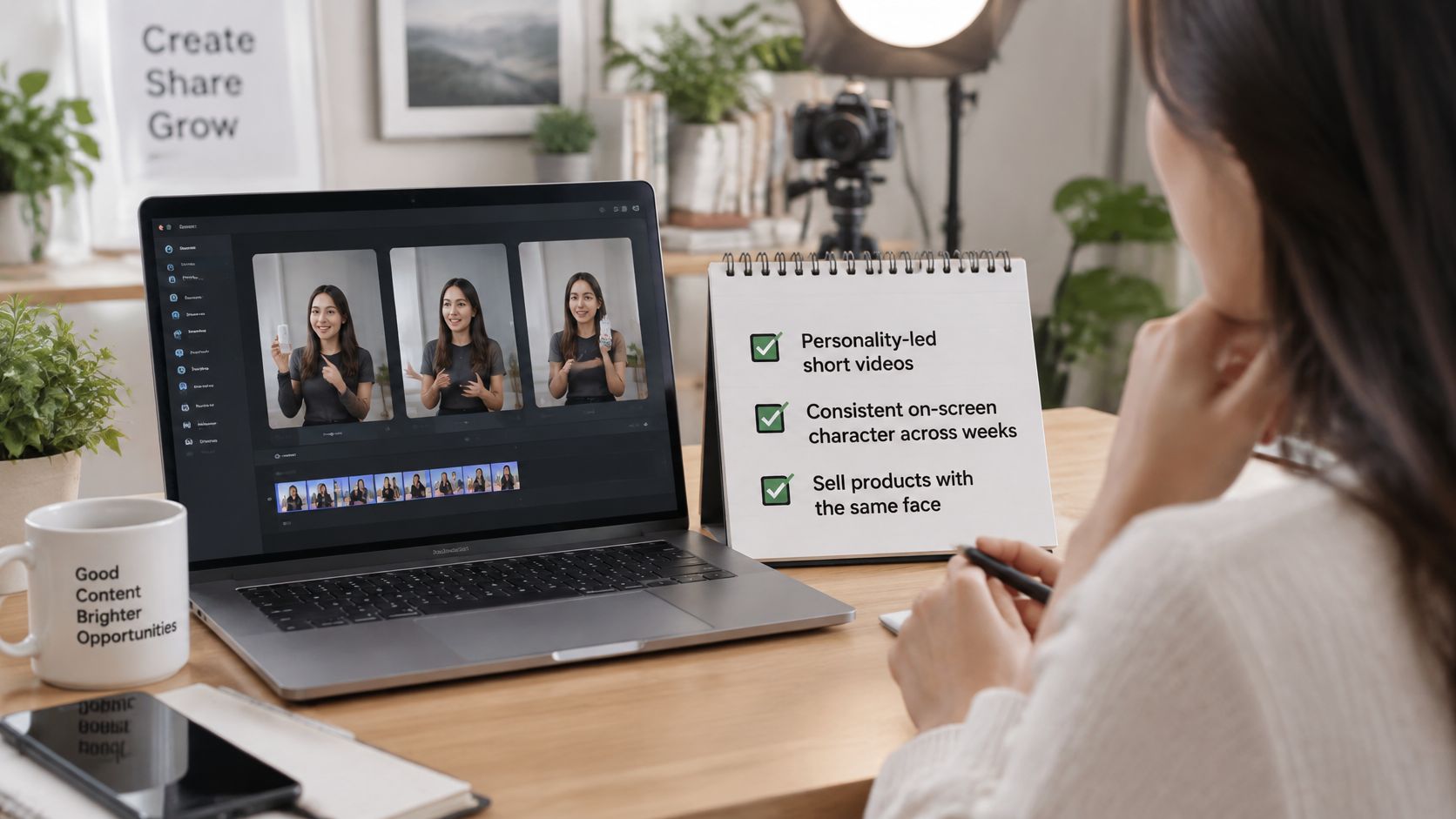
It fits when the videos are personality-led shorts, when you want one on-screen character across weeks, or when a shop needs the same face holding the product in every clip. It doesn't fit when the format depends on your real testimonial, a live appearance, or a claim of personal experience nobody can verify. It also doesn't fit if you can't keep a dated consent record, because everything downstream leans on that file existing.
Test the idea before you buy a plan. Generate one video and judge it the way a viewer would. Credits pay for attempts, not ideas: on Hooknetik a video can be remade once from the calendar and the remake uses another credit, and one paid credit makes one video, so a ten-video month with two reshoots is twelve credits rather than ten. Budget the reshoots now. If you're still torn between a lifelike double and a stylized character, the avatar types compared here show what each format can carry.
Next action: build the reference set, write the consent records, generate one test video, and run the three-point check before any calendar starts.
Consent and Disclosure Rules Before You Publish
Consent and disclosure are separate checks, and creators routinely pass one and fail the other. Signing a form about your own face feels absurd, which is exactly why it gets skipped, and skipping it is what turns a clever build into a liability the first time a client, an agency or a platform asks who authorized the clip.
Get the rights down in writing
Your face and voice need a record even though they're yours. Write a dated permission note naming you as rights holder, stating that you approve use in synthetic video, and scoping where the output can run. Anyone else who appears needs their own permission, so frame shots to exclude bystanders and never use minors. Keep identity assets (face photos, voice recordings, motion clips) in a folder separate from product assets, and note who can open each one.
Then write the exit. A revocation procedure should say how you pull a replica offline after a breach, a dispute or an account handover: which files get deleted, which videos come down, and who confirms it happened. How Hooknetik stores uploaded files and handles privacy is a fair model for the retention and access note you should keep on your own side.
Disclose the method, not just the fact
The legal bar is the European Union's. Article 50 of the EU AI Act, as explained by the European Commission, requires deployers to clearly and distinguishably disclose deepfake image, audio or video content in a way that is understandable and perceivable without special technical tools, and those transparency obligations apply from 2 August 2026. Platforms add their own layer: TikTok's seller guidance requires creators to clearly disclose AI use in promotional content and to enable the "AI-generated content" toggle when posting.
Placement is a trade-off, not a free win. A U.S. experiment on virtual influencer disclosure found prominently disclosed virtual influencers were perceived as less credible than subtly disclosed ones or human influencers, so a label slammed across the middle of the frame buys compliance and costs trust. Put it where a viewer catches it in the first seconds, in plain language, and keep it off the face. Wording matters just as much. "AI-generated character using my approved motion" describes the production method; "digital twin speaking autonomously" describes something you didn't build and can't defend.
Practical rule: consent authorizes use of your likeness. The label tells viewers how the media was made. Neither substitutes for the other, and a platform's automatic tag doesn't replace your own disclosure.
Copy this checklist before you publish anything:
- Consent on file. A dated record for every face, voice and clip in the video.
- Clean cast. No bystanders, no minors, no third-party likeness without a signed release.
- Visible label. Readable in the first seconds without zooming or hunting captions.
- Platform toggle. The AI-generated setting enabled for promotional posts.
- Accurate wording. The description matches the actual production method.
- Access review. The file access list and deletion path checked since the last account change.
How to Build Your Digital Double Step by Step
The build is a checklist rather than a creative act, and the first two items cost nothing while preventing most of the damage later.
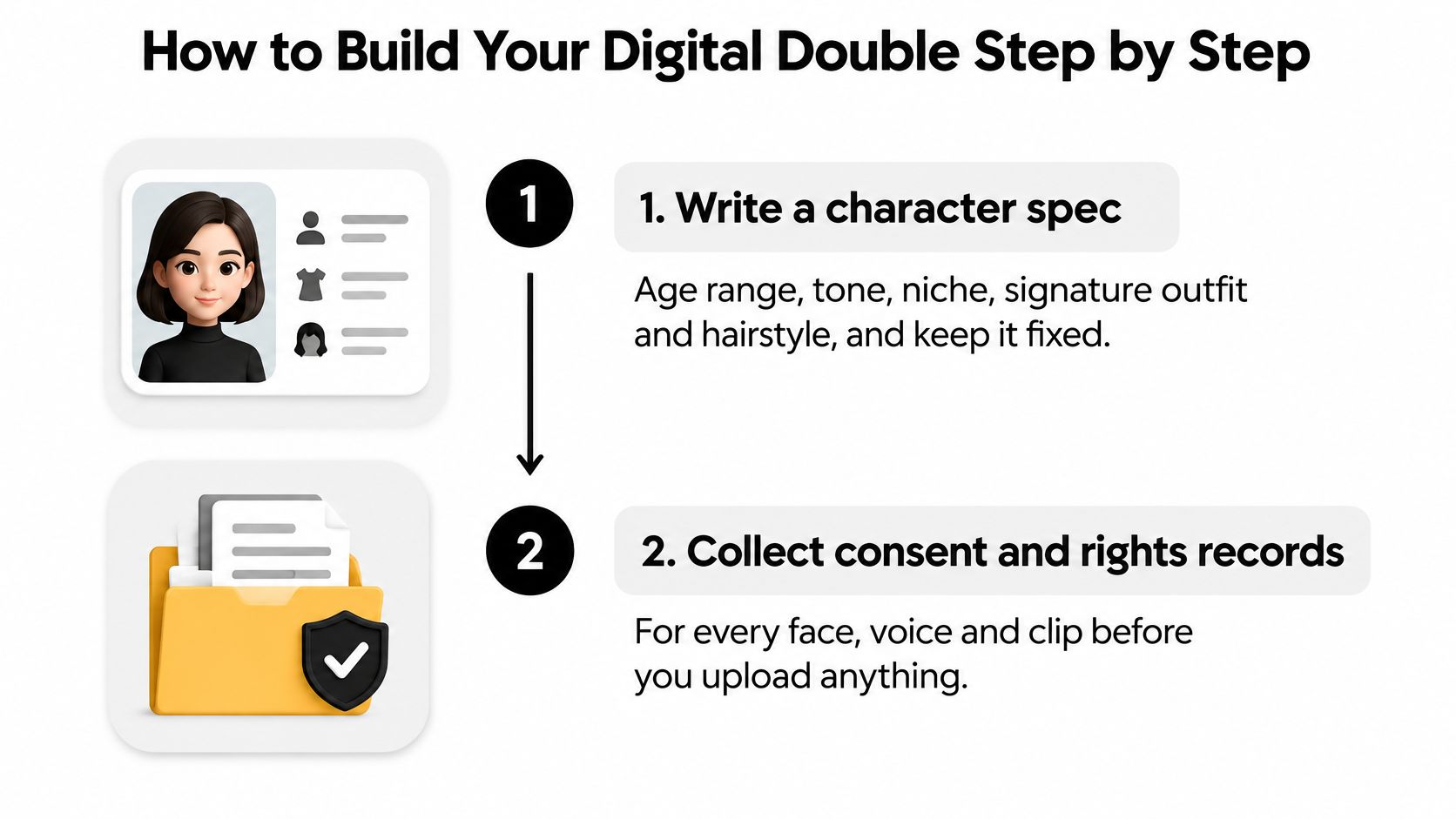
- Write a character spec. Fix the age range, tone, niche, signature outfit, hairstyle and speaking register before anything generates. A loose spec is what lets outfits and faces drift, because the system fills the gaps differently each time.
- Collect consent and rights records first. Dated permission for every face, voice and clip, before a single file is uploaded. Uploading first and papering later leaves you holding assets you may have to delete.
- Assemble the source set. Face photos across several angles, full-body shots in the outfits you'll use, short reference clips and one clean voice recording. Each type has a count and a failure mode, and getting those right early saves a week of regeneration.
- Create the character once. Describe the look or start from a photo you own. The face is generated once and stays the same in every video while clothing and hairstyles change from that same base. Rebuilding the face per video is what produces a different person every week.
- Choose a reference motion clip. Check that the movement and the original sound fit your persona. The original audio stays in the video, so a clip with a different accent or delivery changes who your character appears to be.
- Add product photos when the video is about a product, then generate one test video. Shoot vertical, 9:16, and treat the first export as a sample rather than a launch. If you're weighing generation tools before committing, this roundup of AI video options covers what each format does well.
- Review three things before publishing. Face match against your reference photos, hands and product logos, and lip sync against the audio. Publishing without those three checks is how a bad clip ends up on a schedule you can't easily unwind.
Watching the sequence once makes the order obvious, especially why consent sits ahead of generation rather than after it.
What a passing test video looks like
Same face as your reference images at the same crop, hands with five fingers and no melting edges, a product label you can read at arm's length, and speech that lands on the beat of the reference motion. Anything short of all four is a rebuild, not a retry.
Source Photos and Clips That Keep Your Face Consistent
The reference set decides the result more than the model does. Collect to these counts and inspect every file before it goes in.
| Source Asset | How Many | Specification | Common Failure |
|---|---|---|---|
| Face photos | 10 to 20 | Front, three-quarter and profile; even daylight; sharp focus | Filters or heavy retouching change the face |
| Full-body photos | 3 to 5 | Outfits you plan to use; neutral background | Mismatched proportions between clips |
| Reference video clips | 2 to 4 clips of 15 to 30 seconds | Steady camera; face and hands visible | Hands over the face or fast cuts break tracking |
| Voice recordings | 1 to 3 minutes | Quiet room; no music or echo | Background noise copied into the voice |
| Product photos | 3 to 6 per product | Flat, front-on, sharp label | Glare or angled packaging distorts logos |
| Consent record | One per face, voice and clip | Dated written permission | Missing record blocks publishing |
Run the same face check every time
Keep one fixed reference set and compare each generated clip to it side by side, at the same crop and the same lighting. A review of cloning efficiency in mammals makes the comparison useful: even a well-studied biological process produces normal viable offspring in only about 1 to 5% of attempts, and the failures trace back to incomplete resetting of gene expression rather than the transfer itself. Your equivalent is identity reset: same spec, same references, same check, every single time.
Keep a rejection log
Count rejections by type rather than in total: identity drift, anatomy artifacts, audio mismatch and product-placement errors. Four separate columns tell you which input to fix. A drift rate that climbs while the other three stay flat points at the reference photos. Product errors alone point at the product image or its placement. Recording the reason once takes ten seconds and saves you guessing over twenty videos.
Leave out filters, heavy retouching, sunglasses and anything covering the jaw or hairline. Those files teach the model a face you don't have, and no prompt later undoes that.
Rule: if the reference set can't pass a side-by-side face check, don't start generating. Regeneration can't fix inputs that disagree with each other.
Fixing Drift, Artifacts and Lip-Sync Problems
The face that changes between clips is the symptom creators notice first, and it's almost always an input problem. Daylight in half the photo set and tungsten in the rest, or a character spec that was never locked, push the system toward an average of several faces. Reuse one reference set and one spec, and the drift usually stops.
| Symptom | Likely Cause | Fix |
|---|---|---|
| Face changes between clips | Mixed source photos or lighting | Reuse the same reference set and locked character spec |
| Hands or teeth look wrong | Hands hidden or teeth out of frame in references | Use reference clips with hands and teeth visible |
| Lips out of sync with audio | Audio length or speech rate differs from the clip | Generate from the final audio and trim to match |
| Product logo warped | Angled or glossy product photo | Replace with a flat, front-on product image |
| Outfit or hair changes unexpectedly | Style not locked as a preset | Save outfit and hairstyle as a named preset |
| Motion looks uncanny | Reference clip moves too fast for your face | Choose a slower reference clip |
Sort the fixes by cost before starting. Regenerating from identical inputs costs one credit and a few minutes. Replacing the reference set costs a week of re-shooting, re-recording and re-checking. Most lip-sync and logo failures sit in the cheap column, so clear those first and see whether the drift complaint survives. Choose the slower reference clip when the motion reads as uncanny rather than broken, because matching a fast clip to a calm face is a mismatch you can see but can't name.
Check after every fix: one change can introduce another. Re-run the face check, the hands-and-logo review and the lip-sync pass on the next export before you queue a full month.
If you're still deciding whether the character needs a face at all, a look at how AI influencer accounts are built covers where a double earns its place and where a product-led account does the same job with less exposure.
Answers to Common Questions About Cloning Yourself
Can an AI version of me think or remember like me? No. It reproduces appearance, voice and motion from the references you supply, and there's no memory or consciousness to inherit. Treat it as a character built from your assets, not an extension of your mind.
Do I need my real voice? Not necessarily. A voice clone works from recordings you own, but keep the source audio and the permission record filed together, because that record is what lets you defend the voice later.
Can I use a photo of someone else? Only with their documented consent, and never for a face or voice they haven't approved. That covers friends, stock models and anyone visible in the background of a clip.
Do I have to label a realistic AI version of myself? Yes in most markets that regulate synthetic media. The label has to be readable without special tools, and the platform toggle sits on top of the legal duty rather than replacing it.
How long does a first build take? A day for assets and consent records, then one test video before any calendar starts. If the test fails the face check, rebuild the inputs instead of burning credits on retries.
Hooknetik is built around the part that's hard to hold together: one persistent character created from a look you describe or a photo you own, kept identical across every video while outfits, hairstyles and products change around it, with a calendar that keeps the posts coming. Start with a single test video, run the face check and the label check on it, and only then plan a month of content. Visit Hooknetik to create your character and generate that first clip.
Create your influencer, then fill the calendar.
Free to create the face. Pay when you generate videos. Start from the product demo if you want screens first.
Create your influencer free. Try one video for $5.99, or Creator at $99/mo for a video a day. Plans stack on Billing.