Hooknetik Blog
How Do You Add Music to Short Videos Safely
Wondering how do you add music to a short video? Platform steps, audio levels and rights checks for TikTok, Reels and Shorts.
By Serdar Senay13 min read
- add music to video
- short video music
- TikTok commercial music
- audio levels video
- music rights video
In short
Wondering how do you add music to a short video? Platform steps, audio levels and rights checks for TikTok, Reels and Shorts.
Which platform's licence covers the track in your finished video? Almost every guide answers a different question. It shows you the music note icon, the search field and the trim handle, then stops, leaving you with an MP4 that carries no permission of its own. The rights sit with the platform, the account type and the country the viewer is in, not with the file on your desktop. That's why the same 22-second product clip plays with sound in one app and comes back silent in another.
How do you add music without that happening? Split it into three jobs: clearing the track, mixing it, and validating it on the platform where it will run. Start with where each app lets you pick a sound.
Table of Contents
- Where to Add Music on Each Platform
- Rights Checks for Branded Short Videos
- How to Add Music to a Short Video Step by Step
- Setting Audio Levels So Speech Stays Clear
- Matching the Track to Your Message
- Common Problems and How to Fix Them
- Questions to Settle Before You Post
Where to Add Music on Each Platform
The short answer: on TikTok, Instagram Reels and YouTube Shorts you can attach a track inside the app's own sound tools after upload, or add it in a video editor before export. What separates the routes is the catalogue the sound comes from: a platform licence attaches to tracks in its own cleared collections, and the posting route alone doesn't grant one.
| Platform | Where you pick the track | Commercial-safe option | Main catch |
|---|---|---|---|
| TikTok | In-app sound picker or saved sounds | Commercial Music Library | The general library isn't cleared for business posts, and the commercial collection varies by region, account and campaign |
| Instagram Reels | In-app audio picker | Meta's Sound Collection | The standard licensed library is meant for personal, non-commercial use |
| YouTube Shorts | Shorts audio tools inside the app | YouTube Audio Library and in-app Shorts tracks | Copyrighted music imported into the finished file can trigger a standard claim |
| Any editor before export | A track file you import yourself | A licensed or royalty-free track you can document | Platform audio may differ from your file, so keep a separate audio version per platform |
The stakes justify the care. The IFPI's 2023 Engaging With Music report, built on a survey of more than 43,000 internet users across 26 major music markets, found short-form video took 31% of respondents' listening time, and that 82% of 16 to 24 year olds used it to engage with music. The soundtrack is doing structural work in these videos, not decoration.
Native posting is fast and puts the trend signal to work. A sound picked inside TikTok, Reels or Shorts carries platform licensing only when it comes from that platform's commercial collection for branded posts, since the general picker isn't cleared for business content. You also inherit the sound page and its traffic. What you give up is control: no ducking curve, no custom fade, and no way to carry that audio to another app.
Editing before export gives you the mix. In Premiere, CapCut or Resolve you can sit music under narration, fade the last beat cleanly, and export one visual master that serves every destination. The cost is that clearance travels with the file: a track baked into the MP4 has to be licensed for each platform you post to, because no app's own agreement covers audio you imported yourself.
The rule that saves the most rework: keep one exported master with no music baked in, then add the platform track at posting so each app carries its own licence.
That split is how Hooknetik delivers its videos. The finished clip keeps the sound from the template or uploaded reference, and you download it with its caption from the calendar or the Create page to post on TikTok or Reels yourself, so any switch to a platform-cleared track happens inside the app that will honour it. If you're still deciding where the visual comes from, this comparison of the best AI video tools explains how template pacing changes what a track has to do.
Rights Checks for Branded Short Videos
A product demo shot on a phone in a kitchen can still be a commercial post. Organic reach doesn't change the classification. Read the post as a stranger would: product placement, a logo in frame, an affiliate link, a promotional caption, a price on screen. Any one of those signals, such as an affiliate link or a paid partnership, is enough to make a post commercial, whatever the caption says. That classification decides which music you're allowed to use before you audition a single track.
TikTok draws the line hardest. Its rules separate personal music access from commercial use: businesses can't pull tracks from the general library for commercial content, and the restriction covers organic branded posts as well as video ads, duets, reactions and stitches. TikTok describes its Commercial Music Library as a pre-cleared global library of about 1 million songs, though rights still vary by region, account, campaign and individual track. Use an original sound or a track licensed outside that collection and TikTok expects you to confirm you hold the licence yourself.
Instagram splits access the same way, just less visibly. Under Meta's licensed music library rules, the standard catalogue is intended for personal, non-commercial use, so some business accounts and post types never see the full picker, while the Sound Collection holds more than 14,000 royalty-free songs and sounds cleared for commercial uses such as advertising.
On YouTube, the Audio Library is royalty-free and doesn't generate a Content ID claim, while a track picked through the Shorts tools carries permissions an imported song doesn't. Same song title, different rights depending on which catalogue served it.
The cross-platform rule: a track cleared inside one app is cleared for that app, on that account type. TikTok's commercial collection, YouTube's Audio Library and Meta's Sound Collection are separate catalogues with separate terms, and nothing transfers between them. The clean visual master stays the same file everywhere; the audio gets rebuilt per platform, and sometimes per account.
Four questions to settle before upload:
- Is the post promoting anything? Product, service, affiliate link or paid partnership.
- Is the track in this platform's commercial collection? The general picker doesn't count for branded posts.
- Is the disclosure switched on where the platform requires it?
- Have I recorded the licence scope? Platform, account type, territory and export date, so a later claim gets answered with records rather than memory.
How to Add Music to a Short Video Step by Step
For a commercial short video, the work splits into rights clearance, edit integration and platform validation, in that order, which is the sequence TikTok's commercial music library page sets out. Skip the first phase and the third one catches you in public. Running example throughout: a 22-second product demo with narration.
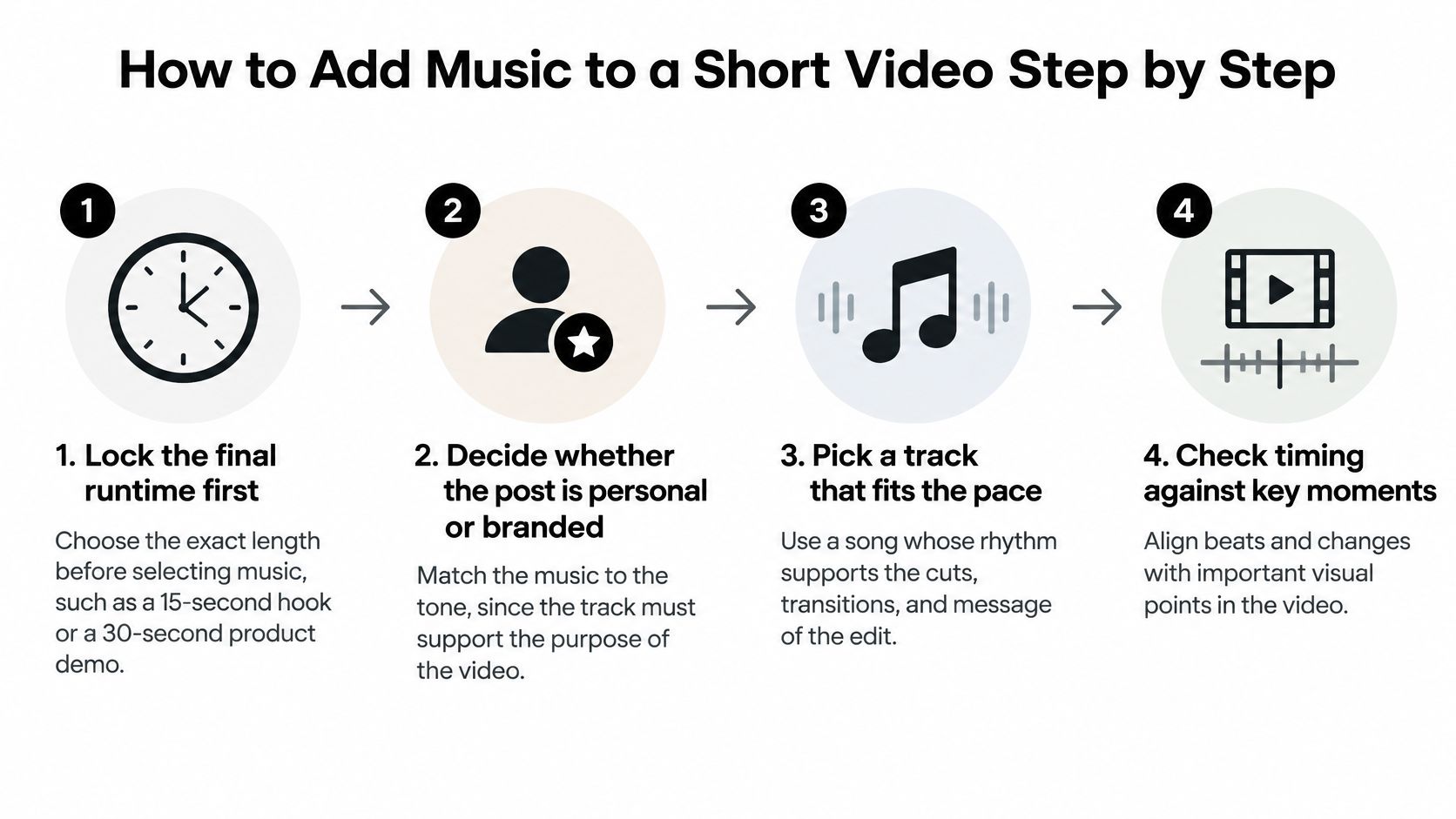
Lock the runtime first. A 22-second demo is 22 seconds before you audition anything, because the track has to fit the cut, not the other way round. Trimming a long song down to 22 seconds is routine. Rebuilding an edit around a song you fell in love with is how schedules collapse.
Classify the post. Personal clips can use the general library. Anything promoting a brand has to come from the commercial collection on that platform, and when the footage comes out of an AI UGC video generator, that decision happens before generation rather than after.
Pick for mood, length and region. Search by feel, then filter by duration and check the maximum usable length for that specific track. YouTube allows up to 90 seconds of a song in a three-minute Short, but some tracks are capped at 60 or 30 seconds, and since 15 October 2024 new vertical videos of 1 to 3 minutes count as Shorts, per YouTube's Shorts help page.
Trim, then fade. Cut the track to the runtime and fade out over the last one to two seconds. A waveform sliced mid-note reads as a broken upload, and viewers forgive a lot except sloppiness at the end.
Land the payoff on a beat. Put the product reveal or the strongest transition on a beat onset. This single alignment does more for perceived production value than upgrading the song.
Set the music under the voice. Duck the track during spoken lines and restore it in visual-only moments. Narration buried under a full-level track is the fastest way to lose a viewer who was ready to buy.
Export two files. A clean master with no music and a music version, each named with the track title, licence source and export date. When a post gets muted three weeks later, that naming convention is the difference between a two-minute fix and a reshoot.
Validate on the platform. Upload as a draft, confirm the track shows as cleared, play it once on a phone, and set the commercial-content disclosure if the post promotes a brand. TikTok states that commercial-sound availability varies by track, region, account or campaign, and music imported from another app may lack the rights TikTok needs.
Treat "available in the app" as a question, not a permission. Instagram can mute audio later if rights-holder agreements change, and a muted post looks worse than a slightly less trendy one.
Setting Audio Levels So Speech Stays Clear
A mix is finished when speech wins on a phone speaker. These are starting points, not standards, so set them and then listen on both a phone speaker and earbuds, since each exposes a different failure.
| Section of the video | Music level against speech | Practical check |
|---|---|---|
| Voiceover or narration | About 18 to 20 dB below speech | Listen on a phone speaker and confirm every word is clear |
| Product demo with narration | About 10 to 15 dB below speech, rising during silent demo moments | Confirm product names and prices are audible over the track |
| Opening hook in the first 2 seconds | Close to speech level, then a few dB lower once the voice starts | Confirm the hook still carries once speech begins |
| Visual-only transition or product reveal | Near speech level without clipping | Check peaks so the track doesn't distort on phone speakers |
Ducking is the whole technique. Take the 22-second demo: narration covers 0:04 to 0:12, the product turns at 0:13, and a closing line lands at 0:17. Music rides near speech level for the first four seconds, drops under the voice, comes up for the turn, then fades from 0:20. Automate the drop to start a beat before each line and release it just after the last word, so the transition is felt rather than heard.
Add music after the narrative edit, not during it. When the influencer copies the motion of a trending clip, the original sound stays in the video, and that's a decision point rather than a default: keep it, mute it, or replace it with a licensed track. I would build at least two masters, one with clean voice or reference audio and one music-led, then attach platform-native audio only where the licence and audience are understood.
Captions still need a human pass. Automatic captions misread product names, prices, accents and generated speech, and a wrong price on screen is a customer-service ticket waiting to happen.
Matching the Track to Your Message
The most popular sound isn't the best sound. A controlled study of background music in data videos, published in the ACM Digital Library, found no consistent measurable effect on persuasion, engagement or information recall. The same work found that music style can shift perceived credibility, risk severity, issue importance and sharing intention, with the direction depending on the topic.
So the question isn't which track is climbing. It's which track matches the claim on screen.
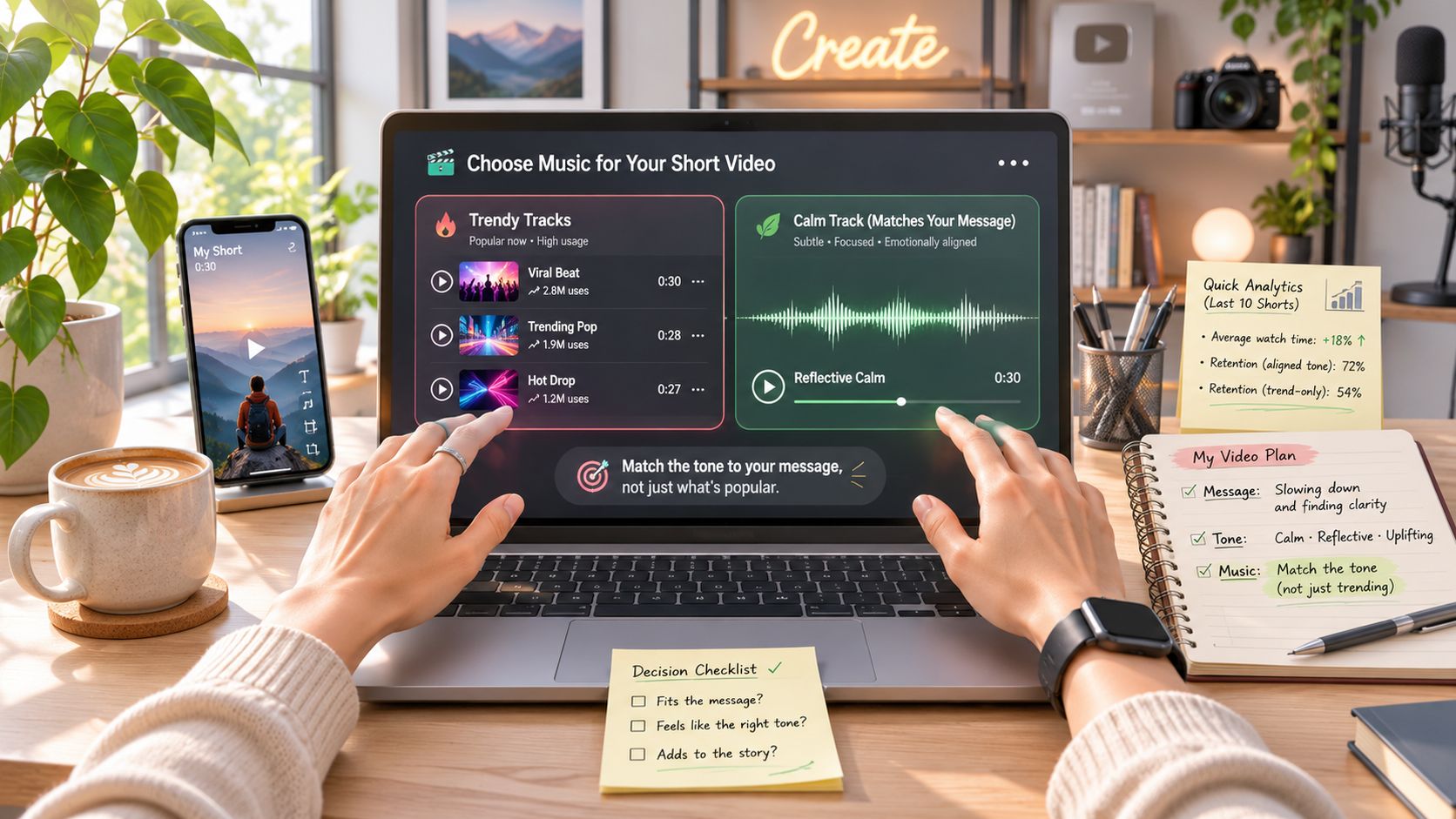
Playful, upbeat tracks suit light, energetic demonstrations: a quick outfit change, a five-second styling trick. Restrained or neutral music suits claims, instructions and anything trust-based, such as skincare results or a how-to. Put a comedy sting under a warranty explanation and you've told the viewer not to take it seriously.
Test it instead of guessing:
- Three versions. No music, a low background bed, and a track chosen for a deliberate emotional cue.
- Everything else identical. Same character, product placement, caption text, opening frame, duration and posting time.
- The right metrics. Completion rate, average watch time, rewatches, shares and clicks.
- Several posts, not one. Small accounts rarely collect enough views on a single video to read a difference.
If you're testing motion and audio together, change one variable at a time. Swapping between viral motion templates for AI influencer product videos mid-test will swamp whatever the audio did.
Log the exact track, licence source, region, loudness treatment and export version against each post, so a rejected video can be rebuilt with cleared audio instead of re-shot.
Common Problems and How to Fix Them
Two failures cause most of the damage, and neither is an editing problem. The first is a muted or removed post, which almost always traces back to one exported file reused across platforms with a track that was only ever cleared for one of them. Don't reopen the edit. Re-export from the clean master with a track cleared for that destination and check the disclosure setting.
The second is a YouTube Short that disappears entirely. Per YouTube's copyright help, copyrighted music added without using the Shorts creation tools may receive a standard copyright claim, and any Short longer than one minute with an active claim is blocked globally, whatever the claim policy says. Swapping to the in-app picker or the Audio Library takes two minutes and removes the risk.
| Symptom | Likely cause | Fix |
|---|---|---|
| Post muted or track removed | Track not cleared for a brand post, or licence changed later | Re-export from the clean master with a commercially cleared track and confirm disclosure is on |
| Track missing from the picker | Account type or region doesn't include the track | Choose a track from the commercial collection or the Audio Library |
| Dialogue hard to follow | Music too loud or not ducked under speech | Lower the music and duck it under each spoken line, then recheck on a phone speaker |
| Song cuts off mid-video | Duration cap set by the platform for that track | Use a track long enough for the runtime or add a fade-out in the edit |
| Captions misread product names | Automatic captions on speech or reference audio | Review and correct captions by hand before posting |
| YouTube Short blocked | Copyright claim on a Short over one minute | Replace the track with an in-app or royalty-free track and resubmit |
Work from the cheapest fix outward. Check the disclosure and the track's status first, then change the audio, and only then recut the video.
Questions to Settle Before You Post
Four questions come up every week, and each has a practical answer rather than a policy one.
Can I use a sound that another account already used
No, not on the strength of seeing it in the app. TikTok requires content promoting a brand, product or service to use its commercial-content disclosure setting, and missing disclosure can lead to removal or restriction, per TikTok's disclosure guidance. An available sound in one account is not permission to reuse it in another account, a paid ad or a downloaded file. Treat every post as its own licensing decision.
Should I add music during generation or inside the destination app
Keep the visual master clean and add the platform track at posting. A track baked into the exported file carries none of the catalogue protection the destination app grants at publish time, so a clean master gives you the freedom to pick the cleared version on each platform. Reach for the editor only when the mix needs work the app can't do, such as ducking under narration or a beat-aligned reveal, and then keep the licence record with the export.
Can one file work on TikTok, Instagram and YouTube
Only if the track is cleared on each platform, which is rare for the same song. TikTok's Commercial Music Library, YouTube's Audio Library and Meta's Sound Collection are platform-specific catalogues, and a track cleared inside one app grants nothing on another platform or a different account type. Most brand creators therefore keep one visual master plus one audio version per platform.
Does a trending sound help reach
It can help discovery. TikTok and Luminate's 2024 Music Impact Report found 84% of songs entering the Billboard Global 200 had a period of high TikTok engagement beforehand. That's a correlation, not a lift you can bank, and the controlled evidence gives no consistent engagement effect. Use a trending track when it fits the message, not as a distribution strategy.
Three checks before you hit publish: rights cleared for this platform and this account type, levels tested on a phone speaker, disclosure set if a brand is involved.
Hooknetik builds the vertical video and writes the caption, then hands both to you for download so the audio decision stays yours, made in the app that will carry the licence. You can make one video without a plan, which uses a single credit and appears at the bottom of the Create page when it's ready, and see how the motion transfer and product placement look before committing to a monthly cadence. Visit Hooknetik to create your first AI influencer video, then add the track that's cleared for where you're posting it.
Create your influencer, then fill the calendar.
Free to create the face. Pay when you generate videos. Start from the product demo if you want screens first.
Create your influencer free. Try one video for $5.99, or Creator at $99/mo for a video a day. Plans stack on Billing.