Hooknetik Blog
Free Linktree Guide: Build Your Own Free Link Tree
Learn what a Free Linktree includes, where its limits sit, and how to build one link page for creators, shops and AI agencies.
By Serdar Senay16 min read
- free linktree
- link in bio
- link tree builder
- creator links
- bio link page
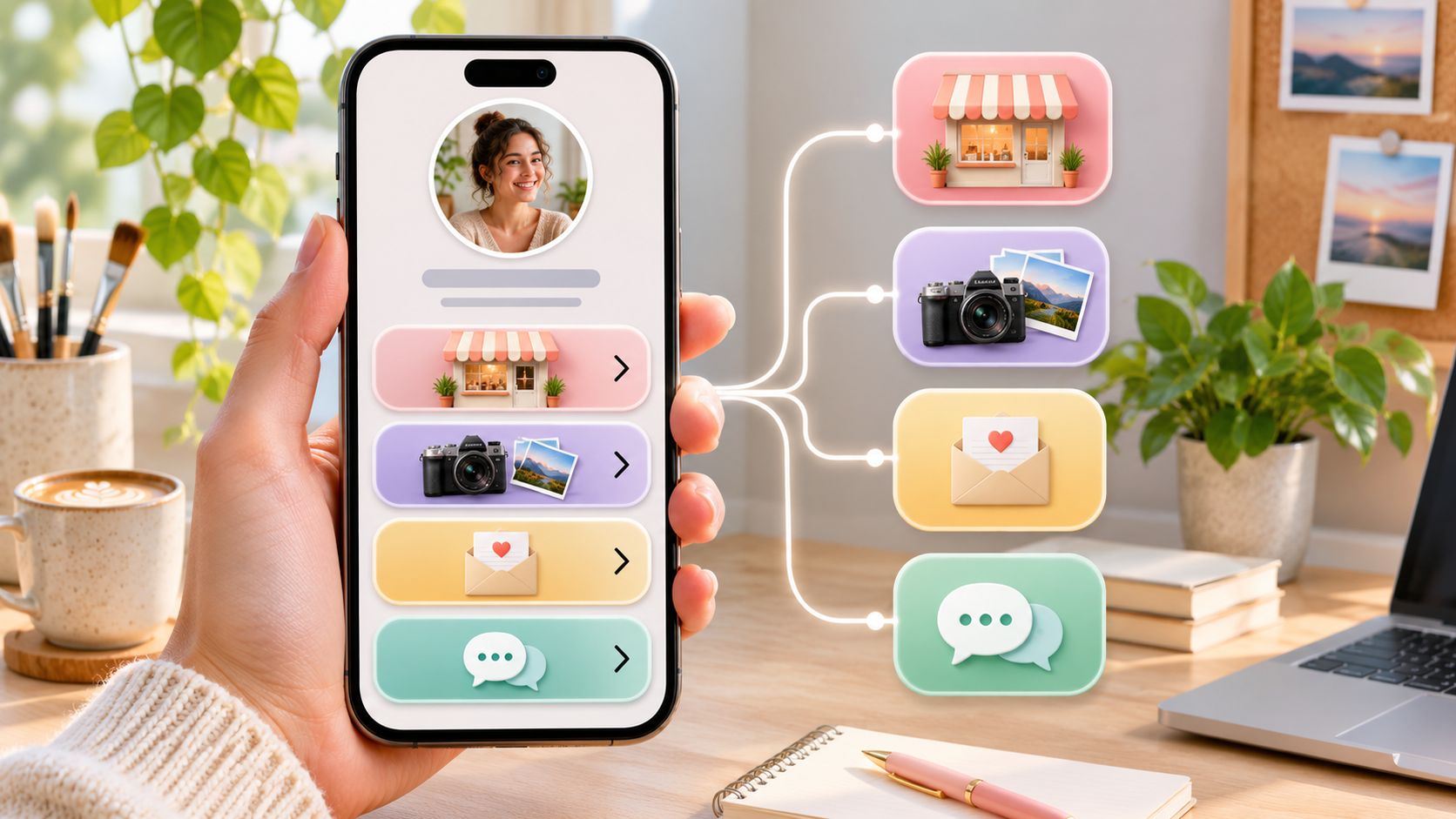
In short
Learn what a Free Linktree includes, where its limits sit, and how to build one link page for creators, shops and AI agencies.
Hooknetik Linktree builder
Build a free AI influencer linktree on Hooknetik — then put that one URL in every bio.
Skip the generic free Linktree limits for your virtual creators. Open the free Hooknetik Linktree builder, attach social and shop links to your influencer, and publish a branded page at /creators/<username>/linktree.
Hooknetik’s free Linktree builder for AI influencers
Most free link-in-bio tools were built for human creators juggling a shop, a newsletter and a booking form. Hooknetik’s Linktree builder is built for the same job and for AI influencers: one face you own on Hooknetik, one public profile, and one branded link page that sits next to their videos.
Create your influencer free, then open the builder. Add Instagram, TikTok, YouTube, LinkedIn, Spotify, Shopify, a brand partner page, or a custom URL. Each button picks up recognisable brand colours so the page looks intentional on a phone — not like a grey list of plain text links.
When the page is live, visitors land on https://hooknetik.com/creators/<username>/linktree. That address stays stable while you reorder, rename or swap destinations. The same influencer can keep posting vertical UGC from Create and the calendar while the linktree remains the switchboard in every bio.
Start here: if you came for a free linktree for an AI influencer, use hooknetik.com/linktree-builder first. The sections below still explain free link trees in general — limits, mobile design, measurement and page layouts — so you know what to put on those buttons.
What you get with the Hooknetik Linktree builder
- Free to start. Create the influencer face free, then build their link page in the builder without a separate link-in-bio subscription.
- Tied to the influencer, not a random username. The public page lives under their Hooknetik creator URL, next to their gallery and profile bio.
- Brand-aware buttons. Links detect common brands (Hooknetik, Instagram, TikTok, YouTube, LinkedIn, Spotify and more) so the page looks polished on mobile.
- Built for AI agencies and solo sellers. Put the roster, the current drop, the Shopify catalog and a contact form behind one bio URL while each character keeps a consistent face on camera.
- Same product stack as your videos. When a clip performs, the bio still points at the page you control — partner brands, products and creator profiles included.
Create your free Hooknetik linktree now →
Publish a Hooknetik linktree in five steps
- Join Hooknetik and create an influencer. Sex, personality and a look description or referral photo are enough to get a ready face.
- Open the Linktree builder. Sign in if you already have an account; the builder asks you to pick which influencer owns the page.
- Add destinations in priority order. Lead with the action you want this week — shop, booking, latest video category, partner brand, or another creator to collaborate with.
- Label every button by outcome. “Shop the spring drop” and “Watch public clips” beat vague “Link 1” labels on a phone screen.
- Publish and paste one URL everywhere. Use
https://hooknetik.com/creators/<username>/linktreein Instagram, TikTok, YouTube, email signatures and pitch decks. Change the buttons later without editing four bios.
Want a live example of the page shape? Browse public creators on hooknetik.com/creators, open a profile with links, then build yours in the Linktree builder.
Free Linktree tools vs Hooknetik’s builder
| Need | Typical free Linktree-style tool | Hooknetik Linktree builder |
|---|---|---|
| Page for an AI influencer | Generic profile; you paste external links by hand | Page belongs to the Hooknetik influencer you already created |
| Brand look on buttons | Often limited or paid | Brand colours for common destinations included |
| Connection to UGC / calendar videos | Separate products | Same account, same face, same public creator URL family |
| Partner fashion / jewelry links | Manual URLs only | Easy to point at Hooknetik partner brands and product pages |
| Price to start | Free tier with analytics / branding limits | Free influencer + free link page; pay when you generate videos |
If you only need a throwaway list of personal links, any free link tree can work. If the page has to represent a consistent AI face that also ships product video, start in Hooknetik’s Linktree builder.
Open Linktree builder — free →
The rest of this guide covers free link trees in general: why one bio URL beats scattered links, where free-tier limits usually sit, mobile design rules, a six-step build checklist, click measurement without paid analytics, and real page layouts for creators, shops and AI agencies.
A freelance illustrator has one link in her Instagram bio and six places she wants people to go. The print shop, the commission form, the newsletter, her TikTok, the portfolio, and the email address that gets answered. Every time a new destination appears, she edits the bio, then remembers the same URL sits in three other profiles nobody has touched in months.
That's the problem a free link tree solves. One page, one address, as many destinations as you like, and the freedom to swap a button without editing four bios. What the free tier doesn't solve is the part most guides skip: what you can measure and what you become dependent on. Both decide whether free is a smart first step or a dead end you'll pay to escape.
Table of Contents
- Why Free Link Trees Replace Scattered Bio Links
- What Free Link Trees Include and Where Limits Start
- Platform Link Limits and Mobile Design Rules
- Build and Publish Your Free Link Tree in Six Steps
- Measuring Clicks Without Paying for Analytics
- Real Link Pages for Creators, Shops and AI Agencies
- Free Link Tree Questions Answered
Why Free Link Trees Replace Scattered Bio Links
A hotel switchboard makes the idea clear. Many rooms sit behind one published number, and the front desk sends each call to the right extension. A link-in-bio page works the same way: one profile URL leads to a page holding several destinations, and the owner can change any single link without touching the URL already sitting in social profiles, which is the mechanic OneUp's glossary entry on the link-in-bio model describes.
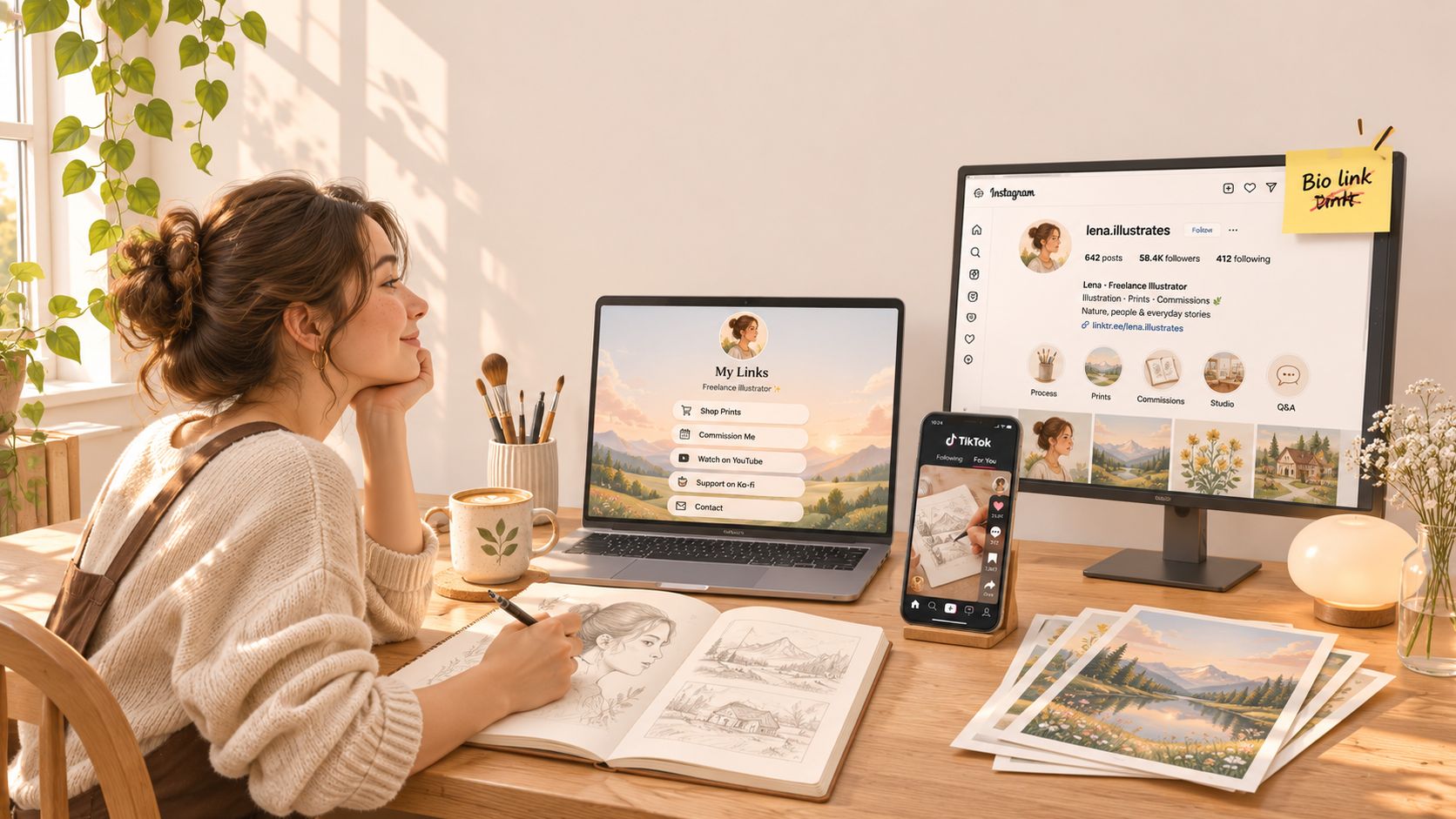
That routing layer turned a bio link into a small control panel for an online identity. A solo creator can send visitors to a portfolio, newsletter, shop and contact form from one place. A small shop can group product pages, booking links and support details. An agency can keep several client destinations, or several AI characters, behind one address that stays stable while the buttons change.
The appeal is practical. Social platforms give you limited space, and bio links are easy to forget when the same destination appears across profiles. A single page gives you somewhere to update the route once. It also makes the measurement question clearer: clicks can be grouped by destination, so you can see which requests are worth keeping and which buttons do little. The dependency question matters just as much. If the page becomes the main path between your audience and your work, free-tier branding, analytics history, export options and scheduling rules become part of your setup.
A free link tree isn't a website. It's a switchboard, and its real cost is the limits you accept, not the price you pay.
Linktree launched in 2016 to get around bio restrictions, kept a free tier with unlimited links, added paid features through Linktree PRO in April 2017, and reported more than 30 million users by 2022, according to ProductMint's Linktree statistics. That history explains why the model spread beyond creators. The basic pattern still holds: one published address can route visitors to many destinations, including several AI characters.
What Free Link Trees Include and Where Limits Start
A free link tree gives you a shareable page with unlimited links on the free plan. The restrictions land in analytics depth, branding, scheduling and whether you can take your data with you.
| Feature | Typical free-plan status | Why it matters | How to verify |
|---|---|---|---|
| Unlimited links | Reported as unlimited on the free plan | Lets you list every destination on one page | Check the current plan page before publishing |
| Analytics history | 28 days reported in 2026; some guides describe only lifetime totals | Shows short-term click trends | Compare dated guides with your own dashboard |
| Platform footer or branding | Reported on some free pages | Affects how the page looks next to your own brand | Open a live free page and check the footer |
| Scheduling | Reported as unavailable on some free tiers | Limits planned link swaps for campaigns | Try to schedule a link change in the editor |
| Data export | Reported as unavailable on some free tiers | Makes moving your data to another tool harder | Look for an export option in the account menu |
| Platform ads on the page | Covered in Linktree's help article on ads on free pages | Can distract visitors from your main link | Read the current help article |
| Custom domain | Paid-plan feature in most comparisons | Makes the page look like your own website | Confirm in the plan details |
Plan comparisons go stale quickly. Linxly's pricing comparison of Linktree's plans reported that in 2026 the free plan included 28 days of analytics history, while other write-ups from the same period describe only lifetime click totals, which tells you documentation lags the product. Restrictions such as a visible platform footer, no scheduling and no export capability are also reported on free tiers by Influencers.club's state of the link-in-bio market analysis.
Ads deserve their own line. Linktree's help article on ads on free pages explains that some visitors to Free plan Linktrees may see a short ad between selecting a link and reaching the destination, that the test runs in select countries, and that paid plans remove them. If a brief interruption would hurt a checkout flow, that's a limit worth pricing before you build.
Write down the date you checked the plan, next to the feature list, in the same document where you keep your links. When the free tier changes, you'll know whether your page still does what you promised.
Check before you commit: if a decision depends on a feature the free tier lacks, plan the workaround before you publish, not after.
Platform Link Limits and Mobile Design Rules
A recent industry summary reports that Instagram permits up to five profile links, while TikTok provides one website link only after an account reaches 1,000 followers or has a verified business account, per the KeepP link-in-bio statistics summary. Treat both as reported rules rather than permanent facts and confirm them on each platform's own help pages before publishing, because social networks rewrite these policies without much notice.
The consequence is practical. You can't count on placing every destination directly in a bio, and you can't count on identical permissions across accounts. One public page becomes the stable destination: put its single URL wherever a platform allows a link, and let the page carry everything else, including the agency homepage, the creator list, product pages, portfolios and contact forms.
Keep the first screen thin
Most visitors arrive on a phone, often on a weak connection, and they decide in seconds whether the page deserves a tap. A web.dev article on fixing website speed cites a SOASTA study finding that each additional second of mobile load delay can cut conversions by as much as 20%. That isn't a universal conversion rule, but it sets the bar: three to five destinations on the first screen, short specific labels, and buttons big enough to tap without aiming.
Make it usable, not just pretty
- Label links by outcome. "Shop the spring collection" tells a screen reader and a hurried thumb what happens next; "Click here" tells neither.
- Add alt text to every image. A decorative photo with no description is noise for anyone using assistive technology.
- Don't rely on colour alone. A red button and a green button mean nothing to a visitor who can't distinguish them, so add a word.
- Test on mobile data. Load the page with Wi-Fi off, on the oldest phone you can borrow.
Design for the person holding a phone in one hand on a bus, not for the desktop monitor you built it on.
Keep a backup URL you control, and add localized destinations if you sell across markets, so a geo-blocked store or a platform outage doesn't take the whole page down. Hooknetik isn't affiliated with, endorsed by or sponsored by TikTok, Instagram, Meta, YouTube, X or Reddit, so those platform rules come from the platforms themselves.
Build and Publish Your Free Link Tree in Six Steps
Twenty minutes is enough for a first build, and a rebuild for a new campaign takes about five. The steps below work the same way in any free link tool, so pick whichever one fits your budget and follow along.
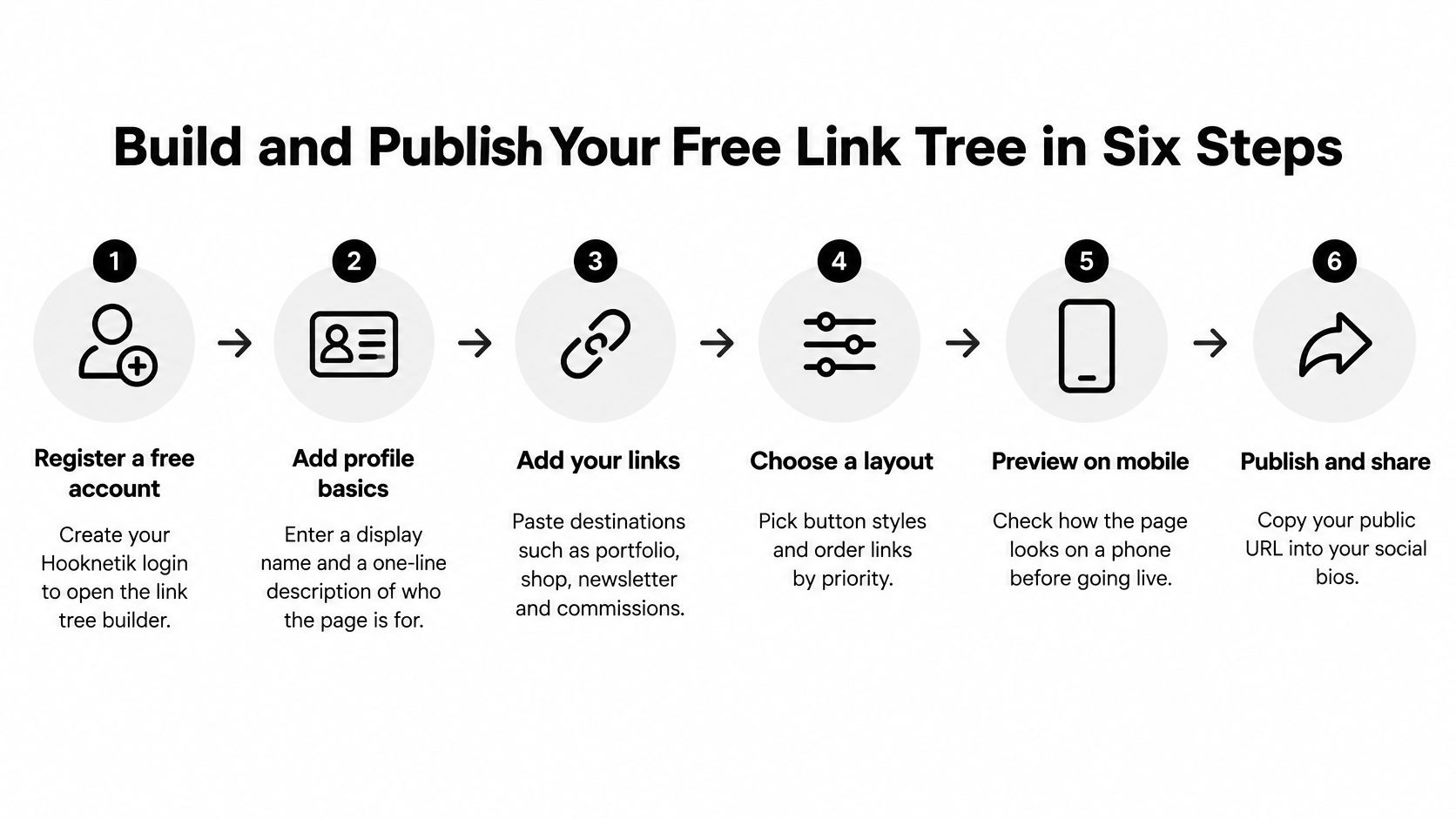
- Register a free account. Sign up with the email you check regularly, because verification links, policy updates and feature-change notices all arrive there. Use one account for the page rather than scattering links across several tools you will have to reconcile later.
- Add the profile basics. A display name, a one-line description saying who the page is for ("AI influencer agency representing six virtual creators" beats "Welcome"), and an image people recognise from your posts.
- Add destinations in priority order. Main website first, then shop, booking or portfolio, then newsletter, contact route and two or three social accounts. When more than five links compete for the first screen, visitors pick none of them.
- Label each link with its outcome. "Shop the spring collection" beats "Click here" because it answers the question the visitor is already asking. Same for "Book a 20-minute call" and "Watch the latest drop".
- Give each project its own entry. If you manage several creators, products or campaigns, list each one separately with a link to its portfolio, social account or contact route, so a visitor interested in one of them never has to scroll past the rest.
- Tag every link, then publish. Add UTM parameters to each destination before you share the page anywhere, publish, and paste the single page URL into each social bio. That's the one address you never have to change again, even when the links behind it do.
If you sell products with AI-generated video, this is the point where the content and the link page come together. Hooknetik is an AI influencer and UGC video generator for brands and product sellers: it turns today's trending short clips into vertical videos starring your own AI influencer, and you download the finished video and caption to post yourself. Each video you publish gives the audience a reason to tap the bio link, and the page you just built decides where that tap lands.
Pre-publish checklist: every link opens the destination you meant rather than a redirect or a login wall; the display name and image match your social profiles; labels describe outcomes; UTM tags are attached; the top three links reflect what you are promoting this month.
Free tiers change their terms without notice, so check the current limits on analytics, branding and export before you commit to a tool, and confirm the published page shows what you expect on the free plan. After publishing, review click counts once a month and reorder the top three links, because a page that never changes gradually stops matching what your audience wants.
Measuring Clicks Without Paying for Analytics
Free link tools count clicks. They rarely tell you which post produced a sale, and that gap separates a page that looks useful from one you can optimise.
| Metric | What it shows | Limit on free data |
|---|---|---|
| Page views | Visits to your link page | Doesn't show which social post sent the visit |
| Link clicks | Which destination was tapped | Doesn't show whether the click led to a purchase |
| Referrer data | The app or site a visit came from | Can be blank or generic in some in-app browsers |
| UTM parameters | The source, medium and campaign you tag yourself | Works only if you add tags to every link |
| Purchase attribution | Sales linked back to a specific click | Needs store-side or pixel tracking; link analytics usually can't follow the visitor to checkout |
The blind spot is well documented. Reporting on link-in-bio pages may not identify the originating platform automatically, and link analytics generally can't follow a visitor through to a completed purchase without extra tagging or conversion infrastructure, as Kaard's analysis of what free Linktree measurement covers sets out. Click totals still matter at scale: Linktree averaged 19.7 million monthly clicks on monetization links during 2022, according to Tubefilter's report on the 2022 link-in-bio data, which shows how much traffic pages like these route.
Tag your way around the problem. Create a separate link for each platform and campaign, for example with utm_source=instagram, utm_medium=social and utm_campaign=spring-2026, then log the link, the campaign name and the week in a spreadsheet. When an order arrives, you can match the campaign name to the sale even though the link tool won't do it for you.
Decision rule: if you need to know which post drove revenue, free click data isn't enough and you need order-level tracking in your store; if you only need to know which destination people prefer, free clicks answer that.
Copy your monthly figures into that spreadsheet before a plan change or a tier reset wipes the history. For more on connecting short-form video to measurable traffic, this guide to faceless digital marketing covers the workflow.
Real Link Pages for Creators, Shops and AI Agencies
Three page shapes cover most of what people publish, and the differences are organisational rather than technical.
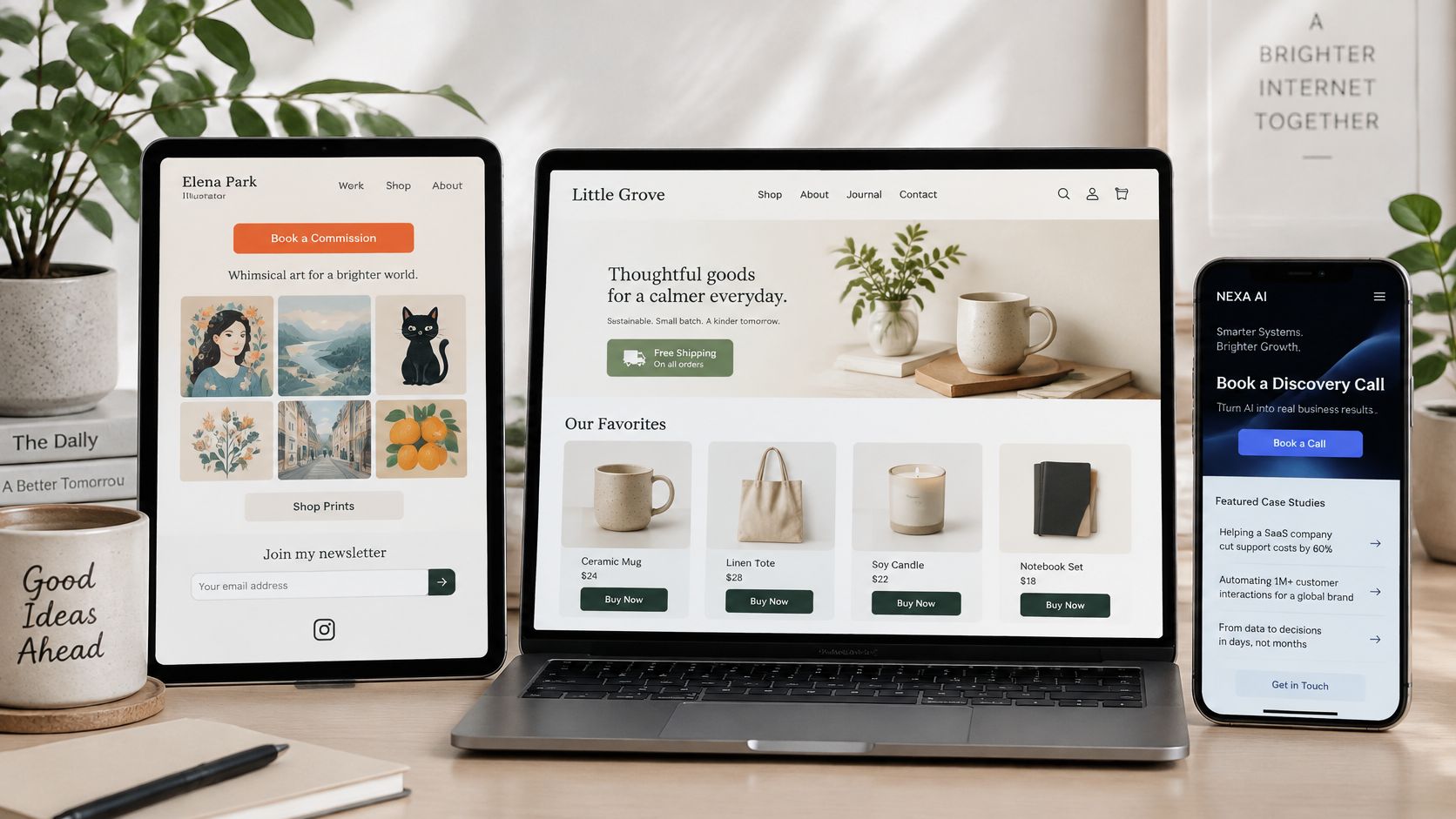
The solo maker page is the simplest. A printmaker with a small shop puts the current collection first, then a commission enquiry form, then a portfolio, then the newsletter, then one social account. The enquiry form sits high because it's the link that produces paid work, and the portfolio waits one tap behind it for anyone who needs convincing.
The small beauty seller page adds answers to predictable questions. A seller running one product line leads with the current collection, then a shipping and returns page (the link that prevents most support messages), a WhatsApp or email contact, and the latest tutorial video. Labels name the product category, not the platform: "Shop the serum" tells a visitor more than "Shop".
The AI influencer agency page works like a directory. An agency managing several virtual creators leads with its homepage, adds a public roster where each influencer links to a profile, campaign or contact route, then a current campaign page and a business contact form. Visitors pick a specific character instead of landing on a generic homepage, and you can add or retire a creator without changing the URL in any bio. If you sell through a store, this walkthrough for adding an AI influencer to a Shopify catalogue covers the product side.
The audience numbers lean toward both types. A 2024 Linktree Global Report breakdown cited by Linkship's link-in-bio statistics roundup identifies creators as 53% of users and businesses, brands, small businesses and professionals as 46.4%. Those are industry report figures rather than a census, so treat them as evidence that both shapes are established, not as a promise about who visits yours.
The structural difference is worth remembering: creator pages foreground individual profiles and content, while business pages foreground services, products, booking and inquiry links. To adapt any example above, change the first two links and their order. That single edit does more for a page than a new theme.
The short video below walks through the same page structure in motion, with the link list built alongside the profile details.
Free Link Tree Questions Answered
Is a free link tree really free? The core page can be free, while analytics, branding removal, scheduling and export remain limited. Check the current terms before relying on a feature. Free access and long-term independence are separate decisions.
How many links should one page hold? Keep the primary destinations focused. Each extra choice competes for attention, so place links that support sales or answer common questions near the top.
Can I track sales without upgrading? You can estimate results by tagging links and matching campaign names to store orders. A recorded click alone does not establish that someone purchased.
Can I show my AI influencers and an agency page for free? Check whether your chosen link-page provider supports the profiles and destinations you need. Creating an influencer on Hooknetik is free; that is separate from building a link page.
Do I need a separate page for each platform? One URL can serve platforms that allow links, subject to each platform's placement rules.
What if the free tier changes? Compare the plan page with your dashboard. Keep your link list and monthly figures outside the tool so you can move without losing your records.
Before publishing, test destinations, check campaign tags and save a copy of the page's contents.
For video creation, Hooknetik offers plans starting from $9 per month and a one-time trial video for $5.99. Create an influencer free, then try a video before committing to a subscription. Download finished videos and captions to post yourself.
FAQ
What is the Hooknetik Linktree builder?
It is Hooknetik’s free link-in-bio editor for AI influencers. You add social, shop and custom links to an influencer, then publish a branded page at /creators/<username>/linktree.
Is the Hooknetik linktree free?
Yes to start. Create your influencer free, build the link page in the Linktree builder, and pay only when you generate videos with credits or a plan.
Where do I open the builder?
Go to https://hooknetik.com/linktree-builder. Sign in or create an account, pick your influencer, add links, and publish.
Ready for a free Hooknetik linktree?
Open the Linktree builder, publish /creators/<username>/linktree, then keep shipping daily product videos from the same influencer.